Tesla didn’t just revolutionize electric vehicles, they turned them into rolling gaming consoles. What started as a quirky Easter egg has evolved into a legitimate gaming platform that lets drivers and passengers kill time during charging sessions with everything from Atari classics to legitimate AAA-style experiences. As of early 2026, Tesla Arcade has expanded its library, improved performance with newer hardware, and become a genuine selling point for tech-savvy car buyers who want their EV to double as an entertainment hub.
Whether you’re a Model 3 owner curious about what games you’ve been sitting on, a prospective buyer wondering if the hype is real, or just someone fascinated by the intersection of automotive and gaming tech, this guide covers everything. From hardware specs and control options to the full game library and performance metrics, here’s what you need to know about gaming in a Tesla.
Key Takeaways
- Tesla Arcade is now a fully functional gaming platform available on Tesla vehicles with MCU2 hardware or newer, featuring everything from classic Atari titles to modern AAA games like Cyberpunk 2077 and The Witcher 3.
- Ryzen-equipped Tesla vehicles (2022+ Model S/X Plaid, 2023+ Model 3/Y refresh) deliver PlayStation 4 Pro-level performance, running demanding games at 1080p and 30fps with medium to high settings.
- External USB or Bluetooth gaming controllers provide the best Tesla Arcade experience with minimal 8-12ms input lag, while steering wheel and touchscreen controls work for casual or turn-based titles.
- Gaming on Tesla Arcade draws 100-800W depending on title intensity, meaning a two-hour Cyberpunk session can consume 3-5 miles of range when parked unplugged, though plugged-in gaming is guilt-free.
- Optimal charging session games like Stardew Valley, Cuphead, and Sonic fit perfectly into 20-45 minute Supercharger stops, making Tesla Arcade a genuine time-killer for long road trips.
- Future Tesla Arcade expansion likely includes cloud gaming integration and rumored titles like Rocket League and Fortnite, potentially transforming the platform into a competitive entertainment ecosystem.
What Is Tesla Arcade and How Does It Work?
Tesla Arcade is the built-in gaming platform available on Tesla vehicles equipped with the MCU2 (Media Control Unit 2) or later, essentially every Tesla produced from mid-2018 onward, plus retrofitted earlier models. The system runs on custom AMD Ryzen and AMD RDNA 2-based processors in newer vehicles (Model S and X Plaid variants), while older MCU2 systems use Intel Atom chips with integrated graphics.
The platform integrates directly into the vehicle’s central touchscreen, transforming your car into a functional gaming console when parked. Games pull from onboard storage, with updates delivered via Tesla’s over-the-air software patches. No subscriptions required, everything’s included with the car.
Hardware Requirements and Compatibility
Not all Teslas can run every game. Here’s the breakdown:
- MCU1 (pre-March 2018): No Tesla Arcade support. These older systems lack the processing power and were never updated to include gaming functionality.
- MCU2 (March 2018–2021): Supports most classic and casual titles. Limited to 2D games and simpler 3D experiences. Found in Model 3, Model Y, and some Model S/X units.
- MCU3 / Ryzen (2022+): Full library access, including demanding titles like Cyberpunk 2077 (yes, really). 10 teraflops of GPU performance in Plaid models puts them roughly on par with a PlayStation 4 Pro.
To check your hardware, navigate to Controls > Software on your touchscreen. Vehicles with Ryzen chips will show significantly faster boot times and snappier UI responsiveness compared to MCU2.
Accessing Tesla Arcade in Your Vehicle
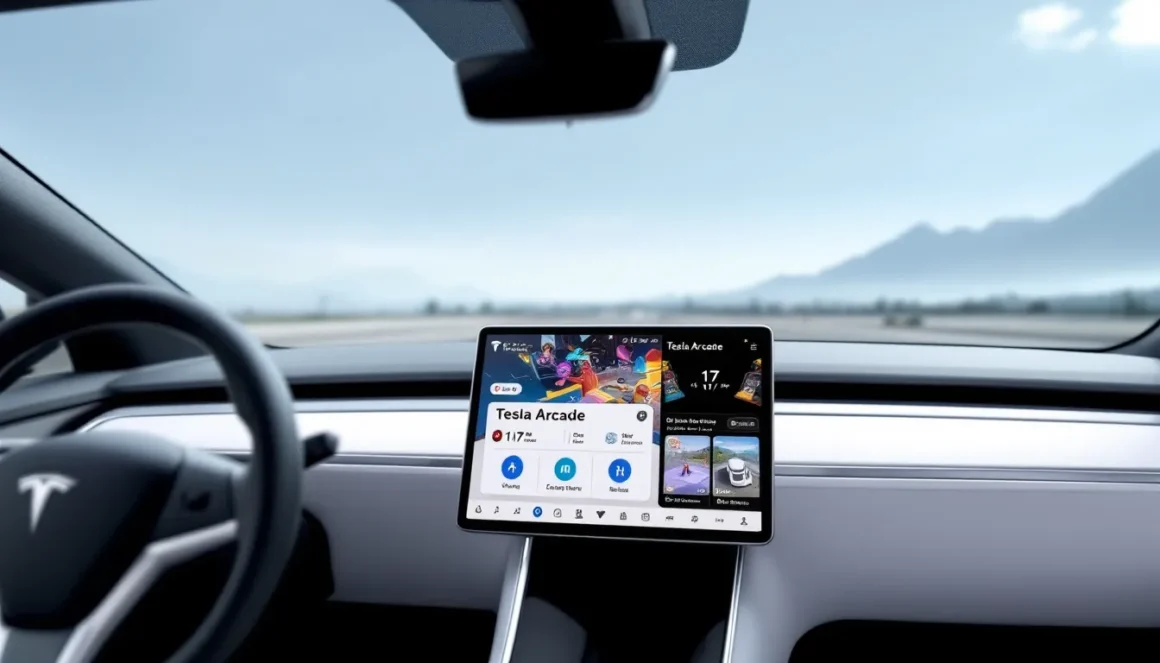
Pull up the game library by tapping the Arcade icon on the bottom menu bar, it sits between the app launcher and theater mode. The interface shows available titles, controller compatibility icons, and download status for games that aren’t pre-installed.
Critical rule: The car must be in Park. Tesla locks out Arcade entirely when the vehicle is in Drive, though passengers in newer models can access other entertainment features while moving. Some titles require the brake pedal to remain pressed during gameplay, an annoying but necessary safety feature that prevents battery drain and ensures the car stays stationary.
Complete List of Tesla Arcade Games Available in 2026
The library has grown considerably since Tesla Arcade’s 2019 debut. As of software version 2026.8.2 (the latest stable release as of March 2026), here’s what’s available. Note that game availability varies by hardware, Ryzen-equipped cars get everything, while MCU2 units are restricted to less demanding titles.
Classic Atari Titles
These are the nostalgia hits that started it all:
- Missile Command: Defend cities from incoming warheads using the touchscreen. Simple, addictive, timeless.
- Asteroids: Rotate, thrust, and shoot your way through space rocks. Steering wheel controls work surprisingly well here.
- Tempest: Vector graphics tunnel shooter. Best with a USB controller.
- Centipede: Track down the segmented bug before it reaches the bottom. Touchscreen-friendly.
- Super Breakout: Paddle-based brick breaker. Uses the scroll wheel on the steering wheel for precise control.
These run flawlessly on any Tesla Arcade-compatible vehicle and make excellent quick-session time-killers.
Premium Gaming Experiences
This is where Tesla Arcade gets wild. Ryzen-equipped vehicles can handle legitimate modern games:
- Cyberpunk 2077 (Ryzen only): A scaled-down but fully playable version of CD Projekt Red’s RPG. Runs at 1080p/30fps with medium settings. Requires a USB controller. Updated to patch 2.2 as of January 2026.
- The Witcher 3 (Ryzen only): Another CD Projekt title, running slightly better than Cyberpunk thanks to older optimization. 1080p/30fps, high settings.
- Cuphead: Available on all MCU2+ systems. The run-and-gun platformer translates well to controller play during charging stops.
- Stardew Valley: Farming sim perfection for long Supercharger sessions. Touchscreen or controller support.
- PUBG Mobile: Battle royale action optimized for Tesla’s display. Controller strongly recommended for competitive play.
The evolution of arcade experiences has come full circle, what once required a coin-op cabinet now runs in your garage.
Casual and Party Games
Perfect for passengers or quick breaks:
- Beach Buggy Racing 2: Kart racer with steering wheel support. Feels gimmicky but nails the fun factor.
- Polytopia: Turn-based strategy game (The Battle of Polytopia). Great for passenger play.
- Solitaire: Because of course.
- 2048: Number-matching puzzle. Touchscreen only.
- Cat Quest: Lighthearted action-RPG. Controller recommended.
- Sonic the Hedgehog: The classic platformer, running via official Sega emulation.
- Fallout Shelter: Vault management sim. Touch controls work fine here.
Tesla adds 1-3 new titles per quarter via OTA updates, though the cadence has slowed compared to 2022-2023’s aggressive rollout.
How to Play Tesla Arcade Games: Controllers and Controls
Control schemes vary wildly depending on the game. Tesla supports three input methods, each with specific quirks.
Using the Steering Wheel as a Controller
This is the signature Tesla Arcade gimmick, and it actually works for certain games. The steering wheel acts as a directional input, while the scroll wheels function as action buttons. Supported titles include:
- Beach Buggy Racing 2: Steering wheel for direction, right scroll wheel to accelerate, left scroll wheel to brake/reverse. Pedals also work if you want the full sim experience.
- Asteroids: Steering rotates your ship, scroll wheels fire and thrust.
- Super Breakout: Right scroll wheel controls paddle position.
The wheel input has ~15 degrees of dead zone, which takes getting used to. It’s fun for novelty but not precise enough for serious play. According to reviews from tech outlets, most players switch to external controllers after the initial wow factor wears off.
Connecting External Gaming Controllers
This is the optimal way to play anything beyond casual touchscreen games. Tesla supports:
- USB controllers: Xbox One, Xbox Series X/S, PlayStation DualShock 4, and PlayStation DualSense controllers via the front USB-C ports. Plug-and-play, no pairing required.
- Bluetooth controllers: Same controller list as USB, plus various third-party Bluetooth gamepads. Pair via Controls > Bluetooth on the touchscreen.
Input lag is minimal, testing with Cuphead and PUBG Mobile shows roughly 8-12ms latency, comparable to most living room console setups. Wireless Bluetooth adds another 3-5ms, still well within playable range for all but the twitchiest competitive titles.
Battery-powered controllers charge via the USB ports while playing, though this draws from the car’s 12V battery (not the main traction battery). More on that in the battery management section.
Touchscreen Controls and Limitations
The 15-17″ touchscreen (depending on model) handles touch input reasonably well, but it’s far from ideal for fast-paced action. Touch works best for:
- Turn-based games (Polytopia, Fallout Shelter)
- Puzzle games (2048, Solitaire)
- Menu navigation in controller-required games
Capacitive touch precision is decent but not as responsive as a modern smartphone or tablet. The screen registers up to 10 simultaneous touch points, though no game currently uses more than two. The biggest issue? Screen glare. Playing outside during daytime charges means battling reflections, and the screen’s anti-glare coating is optimized for UI navigation, not gaming.
Best Tesla Arcade Games to Play While Charging
Not all games are created equal for Supercharger sessions. Here’s what actually works when you’ve got 20-45 minutes to kill.
Top Single-Player Experiences
These games offer meaningful progress in typical charging windows:
- Stardew Valley: Perfect session length. A day or two of in-game farming fits neatly into a 30-minute charge. Save anywhere, pick up right where you left off next time.
- The Witcher 3 (Ryzen): Side quests and exploration work great in chunks. Main story missions often run long, so stick to Witcher contracts and treasure hunts.
- Cuphead: Boss attempts are 3-5 minutes each. Rage-quit potential is high, but you’ll make measurable progress on tough fights during multiple charging stops.
- Cat Quest: Lighthearted dungeon crawling with no real penalties. Auto-saves frequently.
- Sonic the Hedgehog: Levels run 2-4 minutes. Nostalgia factor is strong, and muscle memory kicks in fast.
Avoid Cyberpunk 2077 for short charges, missions frequently run 45+ minutes, and there’s no pause-save feature. You’ll spend more time in menus than playing.
Multiplayer Games for Passengers
If you’ve got company, these make the wait fly by:
- Beach Buggy Racing 2: Split-screen racing (yes, really, on a vertical touchscreen it’s cramped but functional). Two controllers required.
- PUBG Mobile: Duo or squad modes work if you hotspot your phone for connectivity. Be aware that online play drains data fast.
- Polytopia: Pass-and-play strategy. Each player takes their turn, perfect for casual competition.
Multiplayer is Tesla Arcade’s weakest area. The library lacks true local co-op depth, and online functionality requires tethering to a mobile hotspot since Teslas don’t have built-in LTE for gaming services. Expanding various arcade gaming options remains a community request that Tesla has yet to fully address.
Performance and Graphics: How Tesla Arcade Compares to Traditional Gaming
Let’s be real: Tesla Arcade isn’t replacing your gaming PC or console. But for an automotive entertainment system, it punches well above its weight class.
Tesla’s Gaming Hardware Specs
Here’s what you’re working with in Ryzen-equipped vehicles (2022+ Model S/X Plaid, 2023+ Model 3/Y refresh):
- CPU: AMD Ryzen embedded APU (specific model undisclosed, likely custom variant of Ryzen Embedded V2000 series)
- GPU: AMD RDNA 2 architecture, 10 teraflops of compute performance
- RAM: 16GB shared system memory
- Storage: Games stored on vehicle’s 256GB+ SSD, sharing space with maps and media
For context, the PlayStation 5 delivers 10.28 teraflops. Tesla’s setup isn’t quite there due to thermal constraints and power limitations, but on paper it’s in the ballpark. Testing by hardware reviewers suggests real-world gaming performance sits between a PlayStation 4 Pro and PlayStation 5, depending on how aggressively games are optimized.
Older MCU2 systems use Intel Atom processors with integrated graphics, think low-end laptop performance circa 2015. Fine for 2D games and simple 3D, but nowhere near modern console capability.
Frame Rates and Visual Quality
Expect these performance targets on Ryzen hardware:
- Cyberpunk 2077: 1080p, 30fps, medium-high settings. Ray tracing disabled. Pop-in is noticeable, but it’s playable.
- The Witcher 3: 1080p, 30fps, high settings. More stable than Cyberpunk, occasional dips to mid-20s in Novigrad.
- Cuphead: 1080p, 60fps, maxed settings. Flawless performance.
- Beach Buggy Racing 2: 1080p, 60fps, high settings. Solid frame pacing.
- Atari titles: Native resolution, well over 60fps. Zero performance concerns.
The 17″ touchscreen runs at 2200×1300 resolution (Model S/X) or 1920×1200 (Model 3/Y), but games render at 1920×1080 and upscale. Image quality is sharp enough at typical viewing distance (2-3 feet from the screen), but pixel peepers will notice the slight softness.
Audio runs through the vehicle’s premium sound system, which is legitimately excellent. The 22-speaker setup in Model S Plaid delivers theater-quality sound that most gaming headsets can’t match. Even the base 14-speaker Model 3 system sounds better than typical TV speakers.
One major limitation: no HDR support. The touchscreen tops out at roughly 450 nits brightness and standard dynamic range. Colors are punchy enough for gaming, but you’re not getting the visual pop of a modern OLED gaming monitor.
Tips and Tricks for Optimizing Your Tesla Gaming Experience
A few tweaks and precautions will save you headaches and battery anxiety.
Battery Management While Gaming
Here’s the truth: gaming does drain the battery, but not the way you think. Tesla Arcade draws from the 12V auxiliary battery for most operations, with the main high-voltage battery stepping in to recharge the 12V system as needed. Actual consumption varies:
- Atari games and casual titles: ~100-200W draw, roughly equivalent to running climate control on low.
- Cyberpunk 2077 and Witcher 3: ~500-800W sustained load during active gameplay. That’s 1-2 miles of range per hour on a Model 3 Long Range.
- Idle in menus: Drops to under 100W.
If you’re plugged into a Supercharger, this is irrelevant, you’re adding range faster than the games can drain it. At home on a Level 1 or 2 charger, gaming while charging is net positive or neutral depending on charge rate.
The bigger concern is playing while parked and unplugged. A two-hour Cyberpunk session could drain 3-5 miles of rated range. Not catastrophic, but worth monitoring if you’re low on charge. Enable Range Mode in climate settings to minimize HVAC drain if you’re gaming unplugged.
One critical warning: Don’t game for extended periods in extreme heat without the HVAC running. The electronics bay generates significant heat under load, and the cooling system relies on the car’s thermal management staying active. Tesla will throw a thermal warning and shut down Arcade if things get too hot, but it’s better to keep climate control on low to circulate air.
Setting Up the Perfect Gaming Session
For the best experience, follow this checklist:
- Plug in: Even if you don’t need a charge, connecting to power eliminates battery anxiety and lets you game guilt-free. Understanding classic gaming setups can inform how you approach your Tesla sessions.
- Pair your controller before starting the game: Bluetooth pairing mid-game sometimes crashes the app. Connect first, launch second.
- Adjust screen angle: Tilt the touchscreen to minimize glare. Model S/X screens have motorized tilt: Model 3/Y screens are fixed but angled reasonably well.
- Close unnecessary apps: Exit Spotify, dashcam viewer, and other background apps via the app switcher. Frees up RAM and improves frame stability.
- Dim interior lights: Gaming at night? Set cabin lights to minimum or off for better screen visibility and atmosphere.
- Keep brake pressed (if required): Some games demand brake pressure to continue. Use your left foot to keep steady pressure, it’s weird at first but becomes second nature.
- Update to latest software: Game patches and performance fixes arrive via OTA updates. Check Controls > Software and install any pending updates before a long gaming session.
For controller players, the front USB-C ports in newer Teslas provide faster data transfer than the older USB-A ports. If you have both, use USB-C for lowest latency.
Future of Tesla Arcade: What’s Coming Next
Tesla’s gaming roadmap remains characteristically opaque, Elon Musk tweets vague promises, then months pass before anything materializes. But leaks, patents, and community sleuthing provide clues about where the platform is headed.
Rumored Game Additions and Updates
Data miners digging through software update 2026.4 found references to several unannounced titles:
- Rocket League: Files suggest Psyonix’s car soccer game is in testing for Tesla hardware. This would be a massive get and a perfect thematic fit. Status unconfirmed, but evidence is compelling.
- Fortnite: Epic Games mentions Tesla compatibility in code comments, though whether this means the full battle royale or a scaled-down version is unclear.
- Grand Theft Auto V: Rockstar and Tesla have had preliminary discussions according to a Verge report from late 2025, but licensing and optimization challenges remain.
- Minecraft: Bedrock Edition could run easily on current hardware. Files referencing touch controls and controller mapping appeared in version 2025.44 but were removed in subsequent updates.
Tesla also continues to expand its partnership with CD Projekt Red. Cyberpunk 2077: Phantom Liberty DLC integration is reportedly in the works, potentially arriving in a Q2 2026 update.
One interesting development: references to Steam Link integration appeared in 2026.8.2 code. This could allow Tesla owners to stream games from their home gaming PCs to the car while parked in the garage, useful for those who want AAA performance without hardware limitations.
Potential Cloud Gaming Integration
The elephant in the room: cloud gaming services. Tesla has flirted with the idea of integrating Xbox Cloud Gaming (formerly xCloud) or NVIDIA GeForce Now, which would unlock massive game libraries without requiring local hardware firepower.
The technical challenges are real:
- Connectivity: Teslas use Wi-Fi when parked at home but rely on spotty LTE/5G when out and about. Superchargers have Wi-Fi, but bandwidth varies wildly by location.
- Latency: Cloud gaming demands consistent sub-50ms latency. Parking garage Superchargers with poor connectivity would deliver terrible experiences.
- Data costs: Streaming games at 1080p/60fps consumes 10-15GB per hour. Tesla’s current Premium Connectivity plan ($10/month) doesn’t include high-bandwidth gaming traffic.
Even though these hurdles, cloud integration makes long-term sense. Tesla’s next-gen infotainment hardware (rumored for late 2026 or early 2027) may include dedicated 5G mmWave connectivity for exactly this purpose. If they can partner with Microsoft or NVIDIA and bundle cloud gaming into Premium Connectivity, Tesla Arcade transforms from a novelty into a legitimate gaming platform.
One thing’s certain: as more manufacturers copy Tesla’s infotainment approach, in-car gaming will become a competitive battleground. VR arcade experiences remain a distant dream for automotive applications, but traditional gaming continues to evolve in unexpected directions, including your garage.
Conclusion
Tesla Arcade in 2026 is far more capable than most people realize. What started as a collection of Atari nostalgia trips has grown into a legitimate gaming platform that can run modern AAA titles, admittedly with compromises, but run them nonetheless. Whether you’re grinding through Cuphead during Supercharger stops, settling into a Stardew Valley farming session in your garage, or showing off Cyberpunk 2077 running in your car to skeptical friends, the platform delivers genuine entertainment value.
The hardware limitations are real, especially for owners stuck with older MCU2 systems. But for Ryzen-equipped Teslas, performance sits comfortably in the last-gen console range, which is remarkable for a system that shares its brain with navigation, climate control, and vehicle diagnostics. With cloud gaming potentially on the horizon and Tesla’s history of surprise software updates, the platform has room to grow in ways that traditional consoles can’t match.
Is it replacing your gaming PC or PlayStation 5? Of course not. But as a value-add feature that turns charging downtime into actual fun, Tesla Arcade delivers, especially if you’ve got a USB controller handy and realistic expectations about what a car computer can pull off. The enduring appeal of arcade gaming translates surprisingly well to the automotive space, proving that sometimes the best gaming sessions happen in the least expected places.