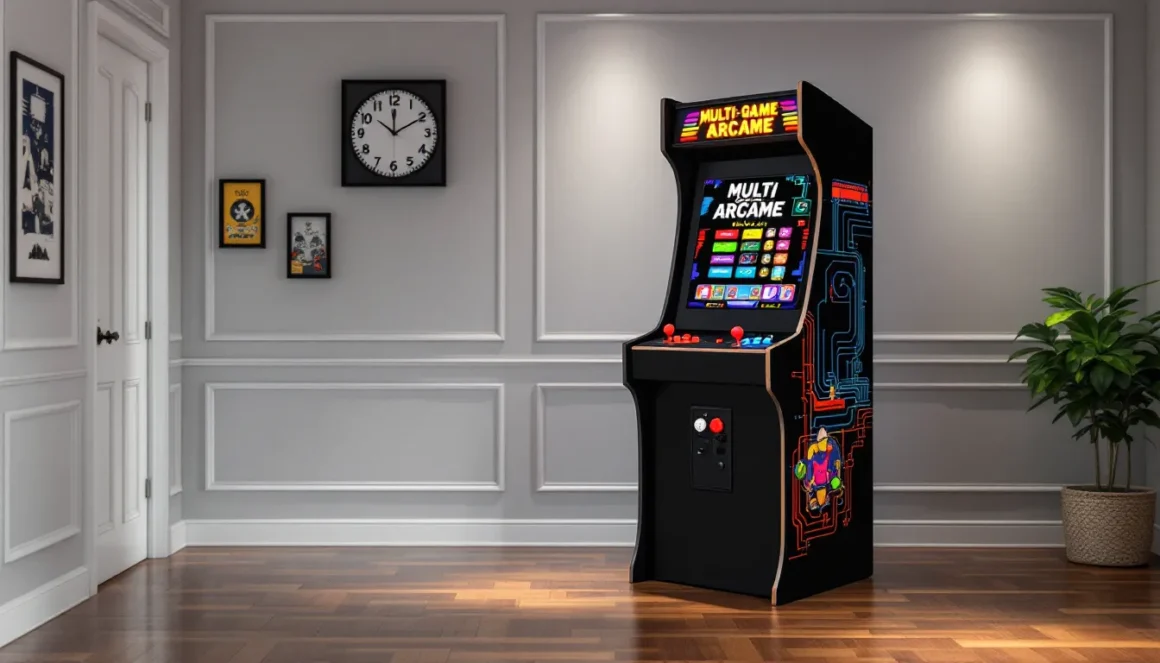
The clatter of buttons, the satisfying thunk of a joystick, and a library of classics at your fingertips, owning a full size arcade machine with multiple games delivers that authentic arcade experience without the need for a truckload of individual cabinets. Whether you’re looking to recreate the magic of 80s arcades in your game room or want a single cabinet that keeps friends and family entertained for hours, multi-game machines have become the go-to solution for enthusiasts in 2026.
Gone are the days when you’d need deep pockets and warehouse-level space to house a proper arcade collection. Today’s multi-game cabinets pack hundreds, sometimes thousands, of titles into one unit, from golden-age fighters and shmups to racing games and beat-’em-ups. But with options ranging from budget builds to premium commercial-grade machines, knowing what to look for can mean the difference between a centerpiece that lasts decades and an expensive dust collector.
Key Takeaways
- A full size arcade machine with multiple games delivers 60 to 10,000+ titles in a single cabinet, eliminating the need for warehouse space and multiple individual machines.
- Multi-game arcade cabinets range from $1,200 to $4,500 for quality units, offering exponentially more content per dollar than purchasing original single-game machines.
- Key features to prioritize include at least 1,000+ curated games, durable 3/4-inch plywood construction, quality Sanwa or Happ components, and appropriate control panel configuration for your preferred game genres.
- Pre-built commercial cabinets offer plug-and-play convenience with warranty support, while DIY builds provide full customization but require 40-60+ hours of assembly and technical skill.
- Proper placement with adequate clearance, ventilation, and lighting, combined with regular maintenance and cleaning, ensures your arcade machine remains functional and enjoyable for years.
What Is a Full Size Arcade Machine with Multiple Games?
A full size arcade machine with multiple games is exactly what it sounds like: a standalone arcade cabinet, typically 5 to 6 feet tall, that houses multiple playable titles accessed through a single interface. Unlike vintage single-game cabinets that featured one hardwired PCB (printed circuit board), modern multi-game machines use emulation software or purpose-built multi-game boards to run anywhere from 60 to over 10,000 games.
These machines replicate the form factor and control layout of classic arcade cabinets, complete with genuine arcade joysticks, concave buttons, and a CRT or LCD monitor. The key difference is the software layer: instead of swapping PCBs or buying multiple cabinets, players navigate a menu system to select their game. Think of it as the Netflix of arcade gaming, but housed in authentic hardware.
Most modern multi-game cabinets run on platforms like JAMMA (Japanese Amusement Machine and Marketing Association) boards, Pandora’s Box systems, or custom Raspberry Pi/PC builds running emulators like MAME (Multiple Arcade Machine Emulator) or RetroPie. The result is a single cabinet that can transition from Street Fighter II to Galaga to Metal Slug in seconds, without requiring a warehouse full of original hardware.
Why Choose a Multi-Game Arcade Cabinet Over Single-Game Machines
Space Efficiency and Value
Let’s be real: not everyone has the square footage to dedicate an entire room to a lineup of individual cabinets. A single multi-game machine occupies roughly 2-3 square feet of floor space while delivering the gameplay variety of dozens, or hundreds, of dedicated units. For apartment dwellers, basement game room builders, or anyone working with limited space, that’s a massive win.
From a cost perspective, the math is equally compelling. Original arcade cabinets in decent condition run anywhere from $800 to $3,000+ per machine, and that’s before factoring in restoration, maintenance, and the occasional CRT replacement. A quality multi-game cabinet typically ranges from $1,200 to $4,500 depending on specs, offering exponentially more content per dollar spent. Even premium builds rarely exceed the cost of acquiring three original machines.
Endless Variety and Replay Value
Nostalgia is powerful, but let’s not pretend you’ll play the same single game for years without wanting something fresh. Multi-game cabinets solve the variety problem by letting players jump between genres and eras on demand. One night it’s a Mortal Kombat tournament with friends: the next, you’re grinding through vertical shooters or revisiting obscure beat-’em-ups you forgot existed.
This variety dramatically extends replay value. When one game loses its shine, there are dozens more queued up. It’s the difference between owning a full-size arcade collection and actually using it regularly. Multi-game machines also make hosting game nights easier, everyone finds something they want to play, from fighting game fans to shmup enthusiasts to casual players who just want Pac-Man.
Types of Full Size Multi-Game Arcade Machines
Pre-Built Commercial Cabinets
Pre-built commercial cabinets are turnkey solutions designed for immediate plug-and-play use. Companies like RecRoomMasters, X-Arcade, and Creative Arcades manufacture these units with licensed or pre-loaded game libraries, factory-assembled controls, and warranty support. They’re the easiest entry point for buyers who want reliability without the hassle of assembly or technical configuration.
These machines typically feature 500 to 2,500 games spanning multiple decades and genres, running on proprietary multi-game boards or embedded PCs. Build quality varies by manufacturer, but most commercial cabinets use 3/4-inch MDF or plywood construction, tempered glass marquees, and Sanwa or Happ-style components. Prices range from $1,500 to $5,000 depending on screen size, game count, and cabinet finish.
The trade-off is customization. While some manufacturers offer artwork options or control layout variations, you’re generally locked into their hardware and software ecosystem. Adding games or modifying controls usually requires technical know-how that voids warranties. For many buyers, that’s a fair trade for the convenience and support that comes with a commercial product.
Custom DIY Arcade Builds
DIY builds represent the deep end of the arcade hobby pool. These machines are constructed from scratch or heavily modified kits, typically powered by a Raspberry Pi 4, dedicated gaming PC, or JAMMA-compatible board. Builders source their own cabinets (either custom-built or repurposed from damaged originals), install arcade-grade controls, and configure emulation software to their exact specifications.
The advantage is total control. Want an 8-player control panel for Gauntlet? Done. Prefer a 32-inch 4K monitor over a CRT? Your call. Need to add obscure Japanese imports or homebrew games? No problem. DIY arcade projects also offer the satisfaction of building something uniquely yours, from cabinet artwork to speaker placement.
The downside is time and technical skill. Expect to invest 40-60 hours minimum on a first build, plus research time for sourcing parts, wiring controls, and troubleshooting software. Costs can creep up quickly, a quality DIY build typically runs $800-$2,500 in parts, sometimes more if you’re using premium components or custom artwork. But for enthusiasts who value flexibility and hands-on tinkering, it’s the only way to go.
Replica and Licensed Retro Cabinets
Replica cabinets occupy the middle ground between commercial and DIY. Companies like Arcade1Up (though they focus on 3/4-scale units) and various custom builders offer full-size replicas of iconic arcade designs, think Street Fighter II, Mortal Kombat, or Neo Geo MVS cabinets, pre-loaded with multi-game libraries that match the original theme.
These machines prioritize authenticity in aesthetics while delivering modern multi-game functionality. A Street Fighter replica might include the entire Capcom fighter catalog plus related beat-’em-ups, all accessed through a period-accurate control panel and marquee design. Licensed cabinets sometimes include officially sanctioned artwork and branding, which matters to collectors concerned about legal gray areas.
Pricing reflects the attention to detail: expect $2,000-$4,500 for quality replicas with licensed artwork and robust game libraries. The appeal is owning something that looks like the real deal from your favorite arcade memories, but with the convenience of accessing dozens of titles. It’s nostalgia with practicality baked in.
Key Features to Look for When Buying
Game Library Size and Selection
More isn’t always better, but in 2026, you should expect at least 1,000+ games on a quality multi-game cabinet. The real question is curation. A machine with 3,000 games sounds impressive until you realize 2,500 of them are obscure mahjong variants or regional duplicates you’ll never touch.
Look for machines that balance quantity with recognizable classics: Street Fighter series, Mortal Kombat, Metal Slug, Contra, Galaga, Pac-Man, Double Dragon, and genre staples from the 80s-90s golden era. Check if the library includes Neo Geo titles, Capcom’s CPS1/CPS2 catalog, and Sega arcade ports, these typically indicate a well-rounded collection.
Also verify game compatibility with the control layout. A 2-player fighter-focused panel won’t properly support 4-player brawlers like Teenage Mutant Ninja Turtles or The Simpsons. Make sure the library matches the hardware, or you’ll have games you can’t actually play properly. Some manufacturers list their full game libraries online: others provide sample lists. Always request the complete roster before buying.
Control Panel Configuration
Control layout makes or breaks the experience. The standard 2-player, 6-button-per-player configuration handles most fighters, shooters, and platformers, but limits options for games requiring more inputs or players. Consider what genres you’ll play most:
- 2-player, 6-button setup: Best for fighting games, shooters, run-and-guns. Covers 70% of popular arcade titles.
- 4-player panel: Necessary for Gauntlet, Simpsons, X-Men, and other multi-player brawlers. Sacrifices button count per player (usually 2-3 buttons each).
- Trackball inclusion: Essential for Golden Tee, Centipede, Missile Command, and marble-rolling games. Usually replaces one joystick position.
- Spinner addition: Required for Tempest, Arkanoid, and other dial-controlled games. Rare on pre-built units.
Component quality matters more than layout variety. Gaming hardware experts consistently recommend Sanwa (Japanese) or Happ/iL (American) parts for durability and authentic feel. Cheap generic buttons and joysticks feel mushy and fail within months of regular use. Check if replacement parts are readily available, you’ll eventually need them.
Display Quality and Screen Size
The monitor debate boils down to authenticity versus practicality. CRT displays deliver the authentic scan-line glow and zero-lag response of original arcade machines, but they’re heavy (80+ pounds), generate heat, and are increasingly difficult to source and repair. LCD monitors offer lighter weight, sharper resolution, and easier replacement, but purists argue they lack the “feel” of original hardware.
In 2026, most buyers opt for LCD panels in the 26-32 inch range, often with added scan-line filters to simulate CRT aesthetics. If you’re going LCD, prioritize:
- Native resolution: 1080p minimum: 4K is overkill for retro games and can introduce scaling issues
- Response time: Under 5ms to minimize input lag
- Viewing angle: IPS panels maintain color accuracy from side viewing positions during multiplayer sessions
Screen orientation also matters. Most multi-game cabinets use horizontal (landscape) monitors to accommodate the majority of titles, but vertical shooters like 1942 and Galaga display in a letterboxed format. Some premium machines offer rotating monitors or dual-orientation support, though this significantly increases cost and complexity.
Cabinet Build Quality and Durability
You’re not just buying a game machine: you’re buying a 200-300 pound piece of furniture that needs to survive years of button-mashing and joystick-thrashing. Construction quality separates machines that become family heirlooms from those that fall apart after a year.
Check these construction details:
- Cabinet material: 3/4-inch plywood is ideal: 3/4-inch MDF is acceptable. Anything thinner flexes and warps. Avoid particleboard entirely.
- Joinery: Look for dado joints, pocket screws, or reinforced corners. Butt joints held with staples are a red flag.
- T-molding: Protective edge trim should be secure and properly seated. Missing or loose T-molding indicates rushing during assembly.
- Control panel thickness: Should be 3/4-inch minimum to support button-mashing without flex.
- Coin door and side panels: Metal coin doors feel substantial and reduce rattle. Side panels should sit flush without gaps.
Weight is a crude but effective quality indicator. A full-size cabinet under 180 pounds likely cuts corners on materials or structural support. Quality machines typically weigh 200-300 pounds fully assembled. Also verify that the cabinet can be partially disassembled for moving, many buyers discover too late that their machine won’t fit through doorways.
Top Full Size Multi-Game Arcade Machines in 2026
Best Overall: Premium Commercial Options
For buyers prioritizing quality and support, RecRoomMasters Elite Series cabinets remain the gold standard in 2026. Their top-tier models feature 2,500+ curated games running on a dedicated gaming PC, authentic Sanwa components, a 32-inch LCD with scan-line overlay, and rock-solid 3/4-inch plywood construction with professional vinyl graphics. Pricing sits around $4,200-$4,800 depending on artwork options, but the build quality and three-year warranty justify the premium.
The Elite Series includes lifetime software updates and easy game additions through a USB interface, addressing one of the biggest limitations of closed commercial systems. The control panel uses a 2-player, 6-button configuration with an integrated trackball, covering about 90% of popular arcade titles. Customer support is reportedly responsive, and the company stocks replacement parts for long-term maintenance.
Alternatively, Creative Arcades Full Size Commercial machines offer similar specs at slightly lower price points ($3,500-$4,000), with the trade-off being less customization options and a shorter one-year warranty. Both brands are solid choices for buyers who want plug-and-play reliability with minimal technical involvement.
Best Budget-Friendly Choice
For value-conscious buyers, VintagArcade Multi-Game Classic cabinets deliver surprising quality at the $1,500-$1,800 range. These machines pack 1,200+ games on a Pandora’s Box-style board, use acceptable-quality Happ-style components (not premium, but serviceable), and feature 27-inch LCD displays with decent color accuracy.
The catch is build materials: VintagArcade uses 3/4-inch MDF instead of plywood, which means slightly less durability but still acceptable for home use with reasonable care. Graphics are vinyl appliqué rather than full-wrap designs, giving a less polished appearance up close but looking fine from playing distance. Warranty coverage is limited to 90 days, so factor in potential self-repair or parts replacement down the line.
These cabinets make sense for first-time buyers testing the waters or those working with strict budget constraints. The games run smoothly, controls are responsive enough for casual play, and the overall experience captures the arcade vibe without demanding premium pricing. Just don’t expect it to survive a commercial environment or extremely heavy use.
Best for Customization Enthusiasts
DIY builders looking for a middle ground should consider DIY Retro Arcade Cabinet Kits paired with a Raspberry Pi 4 or budget gaming PC. Several manufacturers offer flat-pack cabinet kits ($400-$700) that arrive pre-cut and ready for assembly, eliminating the need for woodworking tools while preserving customization freedom.
Pair a quality kit with:
- Raspberry Pi 4 (8GB) running RetroPie: $75-$100
- 27-32 inch LCD monitor: $150-$250
- Sanwa or Happ control kit (joysticks, buttons, encoder): $120-$200
- Power supply, speakers, wiring: $80-$150
- Custom artwork/decals (optional): $100-$300
Total investment lands around $1,000-$1,800 depending on component choices, with the benefit of selecting every aspect to your preferences. The customization process allows for unique control layouts, personalized artwork, and complete control over the game library, no restrictions or locked ecosystems.
The learning curve is steeper, requiring basic electronics skills and patience with RetroPie configuration. But online communities like the RetroPie forums and r/cade provide extensive documentation and troubleshooting support. For enthusiasts who enjoy the build process as much as the final product, this route offers the best satisfaction-to-cost ratio.
How to Set Up Your Full Size Arcade Machine
Choosing the Right Location
Your arcade machine needs more than just floor space. Factor in these environmental considerations before committing to a spot:
Clearance requirements: Allow 3 feet of clearance in front for comfortable play and at least 6 inches on all other sides for ventilation and access to the coin door or rear panel. Cramped placement leads to overheating and awkward play positions.
Flooring: Arcade machines are heavy. Carpet works fine for distribution of weight, but makes repositioning difficult. Hardwood or tile simplifies cleaning and moving but may require furniture pads to prevent floor damage. Basements with concrete floors are ideal, just watch for moisture issues that can affect electronics.
Electrical access: Machines draw 200-400 watts during use. Ensure you have a nearby outlet on a circuit that isn’t already maxed out by other equipment. Avoid using extension cords if possible: they’re a tripping hazard and can introduce electrical noise that affects audio quality.
Lighting and glare: Position the machine to avoid direct window light or overhead fixtures that create screen glare. Side or indirect lighting creates the best ambiance while maintaining visibility. If your game room has lots of natural light, consider blackout curtains for optimal viewing conditions.
Temperature control: Electronics and heat don’t mix. Avoid placing machines near heating vents, radiators, or in uninsulated spaces that experience temperature extremes. Ideal operating range is 60-80°F. Garage installations often fail because of temperature swings that damage LCD panels and warp cabinet materials.
Assembly and Installation Tips
Pre-built commercial machines typically arrive fully or partially assembled. Expect these steps:
-
Unboxing and inspection: Carefully document any shipping damage before proceeding. Check for loose parts, scratched panels, or monitor damage. Most companies require photo evidence within 48 hours for damage claims.
-
Cabinet assembly (if applicable): Follow manufacturer instructions precisely. Typically involves attaching the control panel, securing the monitor, and connecting internal wiring. Have a second person available, these machines are unwieldy.
-
Leveling: Use a spirit level to ensure the cabinet sits evenly. Most cabinets have adjustable leg levelers. An unlevel machine causes joystick drift and can stress cabinet joints.
-
Initial power-on: Before plugging in, verify all internal connections are seated properly. Check that the monitor cable is secure and speaker wires are correctly polarized. First boot should display the game menu or BIOS screen.
For DIY builds, assembly is more involved. Key steps include:
- Install T-molding before final assembly (easier to do on flat panels)
- Wire controls using an iPac or similar encoder, following pin diagrams exactly
- Mount and secure the monitor with appropriate brackets (don’t just rest it in place)
- Route cables cleanly to avoid pinching during cabinet assembly
- Test all controls before closing up the cabinet, desoldering a misconnected button later is frustrating
Software Configuration and Game Updates
Commercial machines usually arrive with software pre-loaded, but understanding basic navigation helps avoid frustration:
Menu systems: Most multi-game boards use a frontend like EmulationStation or proprietary interfaces. Learn how to:
- Add games to favorites
- Access settings for volume, display options, and control mapping
- Reset game-specific settings if controls stop responding properly
- Access diagnostic menus for testing buttons and joysticks
Updating game libraries: Methods vary by platform:
- Pandora’s Box/JAMMA boards: Usually require purchasing upgraded boards: not user-updatable
- Raspberry Pi/RetroPie: Add ROMs via USB stick or network transfer: requires basic understanding of file organization
- PC-based systems: Download ROMs (legally.), add to appropriate emulator folders, refresh game lists
Always verify game additions work before assuming success. Test controls, verify graphics display correctly, and confirm audio output. Some games require specific emulator versions or BIOS files to function properly.
Performance optimization: If games stutter or lag:
- Reduce resolution scaling in emulator settings
- Disable unnecessary visual filters or shaders
- Update emulator software to latest stable version
- Check that cooling fans are operational and not clogged with dust
Maintenance and Troubleshooting Your Arcade Machine
Regular Cleaning and Care
Arcade machines accumulate dust, finger oils, and spilled beverages faster than you’d expect. Establish a maintenance routine:
Weekly:
- Wipe down the control panel with a microfiber cloth and mild cleaner (avoid harsh chemicals that degrade button labels)
- Clean the screen with LCD-safe cleaner and a soft cloth
- Check for loose buttons or wobbly joysticks: tighten mounting nuts as needed
Monthly:
- Vacuum around vents and speaker grills to prevent dust buildup
- Inspect internal components through the coin door: blow out dust with compressed air
- Check all external bolts and screws: vibration from gameplay loosens hardware over time
- Test all controls systematically to catch failing components early
Annually:
- Deep clean the cabinet interior: disconnect power first
- Inspect wiring for fraying or loose connections
- Check monitor for signs of burn-in or dead pixels
- Re-tighten all internal mounting screws and brackets
- Apply furniture polish or wax to cabinet exterior to maintain finish
Keep a supply kit handy: spare buttons, microswitch replacements, crimp connectors, electrical tape, and contact cleaner. Small issues caught early stay small: ignored, they become expensive repairs.
Common Hardware Issues and Fixes
Unresponsive buttons or joysticks:
- First check: Micro-switch failure. These cost $1-2 each and snap into place without soldering.
- Second check: Loose wiring at the encoder. Reseat connectors or re-crimp if necessary.
- Third check: Encoder failure. Test with diagnostic software: replace encoder if faulty ($30-60).
No video/blank screen:
- Verify power to monitor (LED should illuminate)
- Check video cable connections at both monitor and source
- Test monitor with alternate input source to isolate issue
- If monitor is dead, replacement LCD panels run $100-250 depending on size
Audio issues:
- Popping or crackling: Loose speaker wire or failing amplifier. Check connections first.
- No sound: Verify volume isn’t muted in software settings: test speakers with alternate source.
- One channel dead: Typically indicates a failed speaker. Arcade speakers are inexpensive ($15-30 per pair).
Game won’t load or crashes:
- ROM corruption or incompatible emulator version. Re-download game file from verified source.
- BIOS files missing. Some games (Neo Geo especially) require system BIOS files in correct directories.
- Overheating. If crashes occur after 20-30 minutes, check internal temperatures and ventilation.
Joystick drift or unresponsive directions:
- Worn micro-switches in the joystick base. These can be replaced individually without replacing the entire joystick assembly.
- Dirty contacts. Spray with contact cleaner and work the joystick through full range of motion several times.
- Loose mounting. Tighten the joystick base mounting nuts: loose joysticks create diagonal drift.
Most issues are fixable with basic tools and patience. Gaming tech resources and arcade-specific forums offer detailed repair guides for virtually every common problem. Keep receipts and documentation for warranty claims on newer machines, and don’t hesitate to contact manufacturers for commercial units still under coverage.
Legal Considerations and Game Licensing
Let’s address the elephant in the room: most multi-game arcade machines exist in a legal gray area about ROM distribution and game licensing. Understanding the landscape helps buyers make informed decisions.
The legal reality:
Emulated arcade games require ROM files, digital copies of the original game code. Downloading ROMs of games you don’t own is technically copyright infringement, regardless of the game’s age. The argument that “abandoned” or out-of-print games are fair game doesn’t hold legal water. Copyright protection lasts 95 years for corporate works in the US: virtually all arcade games from the 80s-90s remain protected.
That said, copyright holders rarely pursue individual home users. Enforcement actions typically target commercial operators (bars, restaurants) or ROM distribution sites, not hobbyists with personal collections. The risk isn’t zero, but it’s vanishingly small for personal use.
Legitimate options:
- Some manufacturers offer officially licensed multi-game boards with authorized ROM sets, though game counts are typically lower (100-300 titles)
- Digital distribution services like Antstream Arcade provide legal streaming access to hundreds of classic games, though not on dedicated hardware
- Original JAMMA boards can be purchased or collected, with arcade hardware maintaining value for authentic setups
Commercial use requires licensing:
If you’re placing a multi-game machine in a business, bar, or public space where it generates revenue or attracts customers, you need proper licensing. This means either:
- Purchasing machines with licensed game libraries from authorized distributors
- Obtaining separate licensing agreements with rights holders (expensive and complex)
- Using only games in the public domain or with explicit free-use permissions
Operating unlicensed commercial machines can result in cease-and-desist letters, fines, or equipment seizure. The legal risk for commercial use is substantially higher than personal use.
Best practices for home use:
- Purchase from reputable manufacturers who are transparent about their licensing status
- If building a DIY machine, research the legal status of your game library
- Consider supporting re-releases and official collections when available
- Don’t distribute or share ROM files with others: personal use is one thing, distribution is another
The arcade preservation community argues that emulation prevents gaming history from being lost forever, and there’s merit to that perspective. Many classic games are genuinely unavailable through legal channels. Balance your ethical comfort level with the legal realities, and make an informed choice.
Where to Buy Full Size Multi-Game Arcade Machines
Specialty arcade manufacturers:
Companies like RecRoomMasters, Creative Arcades, and VintagArcade sell directly through their websites with shipping to most US locations. These manufacturers offer the best warranty support and customization options, though pricing tends toward the higher end. Shipping costs $200-400 depending on distance, and delivery typically includes curbside drop-off (not inside placement, plan accordingly).
Amazon and major online retailers:
Amazon carries several brands of multi-game cabinets in the $1,200-$3,000 range. The advantage is familiar purchasing experience and easier returns if needed. The downside is limited customization and occasional quality issues with lesser-known brands. Read recent reviews carefully: some sellers drop-ship generic machines with inflated game count claims.
Local arcade distributors and repair shops:
Many cities have arcade repair specialists or distributors who sell refurbished or new multi-game machines. These local options offer hands-on inspection before purchase and potential ongoing maintenance relationships. Pricing may be higher, but you’re paying for local support and expertise. Search for “arcade machine sales” plus your city name.
DIY component sources:
For custom builds, source components from:
- Arcade-specific retailers: Twisted Quarter, DIY Retro Arcade, The Arcade Shop for buttons, joysticks, encoders, and cabinet kits
- General electronics: Amazon, Newegg, Micro Center for Raspberry Pi units, monitors, and power supplies
- Graphics: GameOnGrafix, ArcadeGraphix for custom vinyl artwork and control panel overlays
Used market:
Facebook Marketplace, Craigslist, and local arcade collector groups occasionally list used multi-game machines at $800-$2,000. Inspect thoroughly before buying, used machines may have failing components, outdated game libraries, or sketchy ROM sources. Verify everything works before money changes hands. The used market can offer great deals, but also total lemons: buyer beware.
Avoid:
- Unknown brands on eBay claiming “50,000 games”, the number is meaningless if 99% are duplicates or broken
- Machines with suspiciously low pricing that don’t list component specs or manufacturers
- Sellers who can’t or won’t demonstrate the machine running before purchase
- “As-is” listings unless you’re comfortable with repairs and troubleshooting
For most buyers, purchasing from an established arcade manufacturer offers the best balance of quality, support, and peace of mind. DIY is worth pursuing if you value customization and enjoy the build process. Used markets are acceptable for experienced buyers who can assess condition and value accurately.
Conclusion
A full size arcade machine with multiple games represents more than just another piece of gaming equipment, it’s a portal to decades of gaming history, a conversation piece that brings people together, and a practical solution for delivering massive variety without requiring a dedicated arcade facility. Whether you’re dropping $1,500 on a budget build or $4,500 on a premium commercial unit, the key is matching the machine to your specific needs: space constraints, game preferences, technical comfort level, and long-term maintenance commitment.
The multi-game arcade market in 2026 offers more options than ever, from plug-and-play commercial solutions to fully customizable DIY projects. Take time to research thoroughly, understand what you’re buying (especially about game libraries and licensing), and choose components or manufacturers with proven track records. A quality machine will deliver years of entertainment and hold its value remarkably well, especially as arcade nostalgia continues driving interest in physical gaming hardware.
Most importantly, remember that the “best” machine is the one that actually gets played. A $5,000 showcase cabinet that sits unused is a worse investment than a $1,500 workhorse that hosts weekly game nights. Choose based on your reality, not theoretical ideals, and you’ll have a centerpiece that delivers joy for years to come.