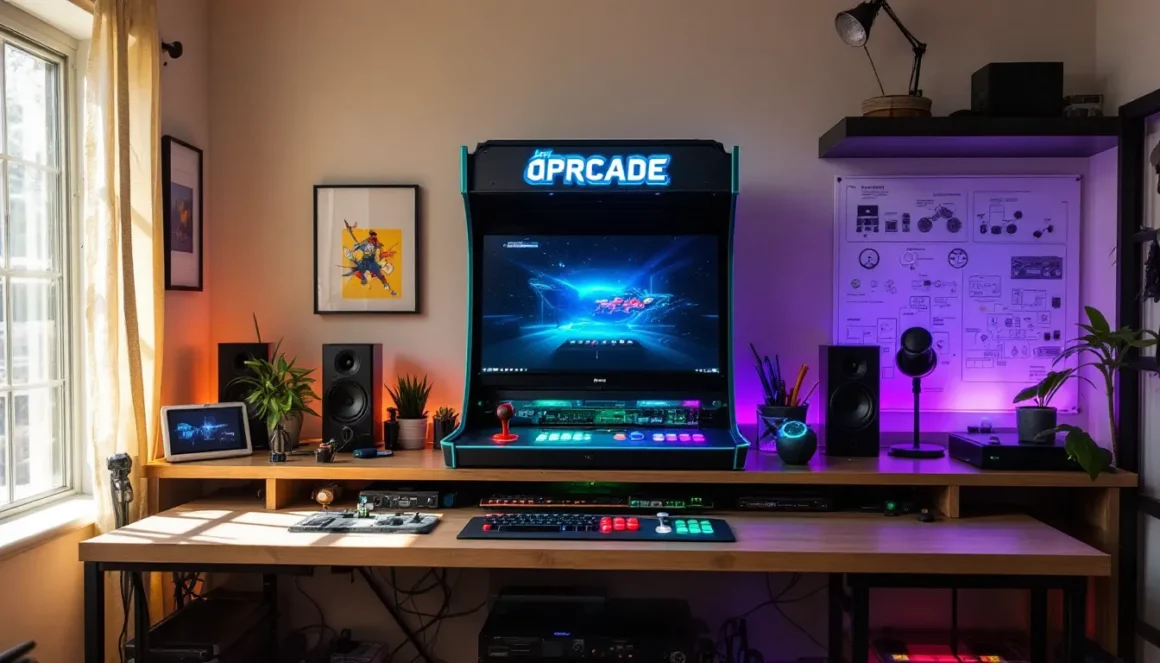
There’s something magical about the tactile clunk of an arcade joystick and the satisfying snap of solid buttons under your fingers. While arcades aren’t as common as they were in the ’80s and ’90s, the hunger for that authentic experience hasn’t faded, it’s evolved. Building your own arcade machine gives you everything that made those coin-op cabinets special, minus the quarters and the sticky floors.
In 2026, the DIY arcade scene is thriving. Single-board computers have gotten cheaper and more powerful, pre-cut cabinet kits are readily available, and emulation software has matured to the point where setup is easier than ever. Whether you’re chasing nostalgia or just want a centerpiece for your game room, building a custom arcade is more accessible than you might think. This guide breaks down everything from choosing components to troubleshooting input lag, so you can build something that looks, sounds, and feels like the real deal.
Key Takeaways
- Building DIY arcade games costs $400–$1,500 for full-size cabinets or as little as $300 for bartop builds, making them significantly cheaper than commercial cabinets priced at $1,500–$5,000+.
- Raspberry Pi 4 and Raspberry Pi 5 are the most accessible single-board computers for DIY arcade projects, supporting everything from classic 8-bit games to Dreamcast and GameCube emulation.
- Control latency comes from three sources—display lag, emulation overhead, and encoder polling—and can be minimized by using gaming-grade monitors, enabling RetroArch’s run-ahead feature, and upgrading to higher-quality USB encoders.
- DIY arcade games offer unmatched customization options, from six-button layouts for fighting games to four-way joystick restrictors for classic titles and RGB lighting schemes.
- The thriving DIY arcade community provides free cabinet plans, pre-cut kits, and extensive online support through forums like BYOAC and r/cade, making your first build accessible even without woodworking experience.
- RetroPie combined with RetroArch emulation provides the best balance of ease-of-use and performance for most DIY arcade builds, with options to add modern indie games and online multiplayer through platforms like Fightcade.
Why Build Your Own DIY Arcade Games?
The appeal of DIY arcade projects goes beyond just saving money or flexing your technical skills. It’s about creating something uniquely yours that delivers an experience modern consoles and gaming PCs can’t quite replicate.
Cost Savings Compared to Commercial Cabinets
Authentic vintage arcade cabinets in decent condition routinely sell for $1,500 to $5,000+, depending on rarity and condition. Even modern pre-built replica cabinets from companies like Arcade1Up run $400–$800 for limited game libraries and smaller form factors.
Building your own full-size cabinet can cost anywhere from $400 to $1,200 depending on your component choices and whether you’re salvaging parts or buying everything new. Bartop builds can come in under $300 if you’re strategic. That price includes hundreds or thousands of games through emulation, rather than a single title. The cost-per-game ratio alone makes DIY builds compelling, especially if you’re chasing variety over a specific classic title.
Customization and Personalization Options
Commercial cabinets lock you into specific artwork, button layouts, and game selections. DIY projects let you choose everything: cabinet dimensions, control panel configuration, custom artwork featuring your favorite games or original designs, RGB lighting schemes, and even trackballs or spinners for games like Golden Tee or Tempest.
Want a six-button layout for fighting games but also a proper four-way restrictor plate for Pac-Man? You can have both. Prefer authentic Sanwa or Seimitsu Japanese joysticks instead of generic components? Go for it. The level of control extends to software too, you decide which emulators run, which games appear in your library, and how the frontend interface looks.
The Satisfaction of Building Something Yourself
There’s a tangible sense of accomplishment when you power on a machine you built from scratch and hear that first ROM load. The process teaches you practical skills: basic carpentry or MDF cutting, soldering (if you’re wiring your own controls), Linux basics (if running RetroPie), and general electronics troubleshooting.
Plus, when friends come over and see a custom arcade cabinet in your game room, the conversation naturally shifts to “Wait, you built that?” It becomes a conversation piece and a functional gaming station, which beats another generic entertainment center setup.
Essential Components for DIY Arcade Game Projects
Every DIY arcade build shares a core set of components. Understanding these parts and their trade-offs will shape your entire project.
Single-Board Computers and Emulation Hardware
Raspberry Pi 4 (4GB or 8GB) remains the most popular choice in 2026 for budget-conscious builders. It handles most 8-bit and 16-bit systems flawlessly, plus older arcade boards via MAME. PSX and some N64 games run acceptably with overclocking. Expect to pay around $55–$75 for the board itself.
Raspberry Pi 5 arrived in late 2023 and offers better performance for demanding emulators like Dreamcast and GameCube via standalone cores, though driver support for some accessories is still maturing. It runs about $80–$100.
For those chasing higher-end emulation or native PC gaming, MiSTer FPGA setups ($400+) provide cycle-accurate hardware emulation with zero input lag, or you can go with a refurbished mini PC running Windows and Launchbox (around $200–$400). The mini PC route gives you access to modern indie games and Steam titles alongside your retro library.
Arcade Controls: Joysticks, Buttons, and Encoders
Joysticks: Sanwa JLF and Seimitsu LS-32 are the gold standard for fighting games and general-purpose use, offering precise microswitches and smooth actuation. Expect $25–$35 per stick. For classic arcade authenticity, Happ Competition or iL Euro joysticks ($20–$30) deliver that heavier American arcade feel.
Buttons: Sanwa OBSF-30 buttons (around $2–$3 each) are responsive and reliable. You’ll typically need 6–8 buttons per player, plus start/select/coin buttons. Japanese-style buttons have a lighter, faster actuation compared to American concave buttons.
Encoders: USB encoder boards translate joystick and button inputs into controller signals your computer understands. The Zero Delay USB Encoder ($10–$15) is cheap and works, but introduces minor input lag. Brook boards ($40–$60) and Ultimarc I-PAC ($45–$75) offer better latency and configurable options. For serious fighting game enthusiasts, the competitive gaming peripherals reviewed by tech sites favor Brook or higher-end encoders to minimize input delay.
Display Options: Monitors vs. Original CRT Screens
CRT screens deliver authentic scanlines, zero input lag, and that warm phosphor glow retro games were designed around. Sourcing a working arcade CRT monitor in 2026 is challenging, they’re heavy, fragile, and increasingly rare. If you find one, expect to pay $100–$300 plus shipping (which can double the cost).
LCD monitors are the practical choice. A 19″–24″ 4:3 or 16:9 monitor works for most builds, costing $80–$200. You lose the CRT aesthetic, but you gain reliability, lighter weight, and HDMI connectivity. Many builders add scanline shaders via RetroArch to simulate the CRT look, though purists will tell you it’s not the same.
For bartop builds, portable monitors (10″–15″, $60–$120) keep things compact. Some builders even repurpose old laptop screens with controller boards.
Audio Systems and Amplifiers
Don’t skimp on audio. Arcade games rely heavily on sound effects and music to create atmosphere. A basic 2.0 or 2.1 speaker setup ($30–$80) will suffice for most projects. If you’re building a full-size cabinet, consider mounting speakers in the marquee area or control panel for that classic overhead sound.
Small amplifier boards like the PAM8403 ($5–$10) or Kinter K2020A+ ($20) provide enough power for bookshelf speakers without taking up much space. If you’re using a Raspberry Pi, route audio through HDMI to your monitor or via the 3.5mm jack to your amp.
Popular DIY Arcade Game Build Types
Your build type depends on available space, budget, and how authentic you want the experience to feel. Each format has distinct advantages.
Full-Size Arcade Cabinets
Full-size cabinets (around 5.5–6 feet tall) offer the most authentic arcade experience. They typically feature a 19″–25″ screen, a full control panel with space for two-player layouts, and enough internal room for speakers, amplifiers, and airflow.
These require serious space commitment and moderate woodworking skills. Pre-cut cabinet kits from vendors like GameRoomSolutions or RecRoomMasters run $200–$500 for just the wood panels. You’ll still need to assemble, sand, paint, apply artwork, and install all components. Budget $800–$1,500 total for a quality full-size build.
Full-size cabinets shine when you want that true arcade feel and have a dedicated game room. They also support sit-down cockpit configurations for driving or flight sims.
Bartop Arcade Machines
Bartop arcades sit on a desk or table, standing about 20″–24″ tall with a 15″–19″ screen. They’re perfect for apartments, offices, or anywhere floor space is tight. Total cost typically runs $250–$600 depending on component quality.
These builds are beginner-friendly. Smaller panels mean less cutting and assembly time, and you can often complete one in a weekend. Many builders use building their first arcade as a learning project before tackling full-size cabinets.
Bartops work great for classic games but feel cramped for two-player beat-’em-ups or fighting games where both players need elbow room.
Cocktail Table Arcades
Cocktail tables position the screen horizontally under glass, with controls on opposite sides for head-to-head play. They double as functional coffee tables when not in use, making them one of the most space-efficient designs.
Building a cocktail table requires a flip-screen setup so Player 2’s view isn’t upside-down, most emulators support this, but configuration takes extra work. Expect $400–$800 total cost depending on the quality of the table construction and glass.
These are ideal for classic two-player games like Ms. Pac-Man, Donkey Kong, and Space Invaders, but they’re less practical for fighting games or anything requiring complex button layouts.
Portable Mini Arcade Units
Handheld or ultra-compact builds (6″–10″ screens) sacrifice screen real estate for maximum portability. These often use 3D-printed enclosures or laser-cut acrylic and can fit in a backpack.
Cost ranges from $100–$250. Raspberry Pi Zero boards keep power consumption and heat low. Some builders incorporate rechargeable battery packs for true portability.
Mini arcades work best as novelty projects or convention showpieces. The small screen and cramped controls limit serious play sessions, but they’re fantastic conversation starters.
Step-by-Step Guide to Building Your First DIY Arcade
Breaking the build process into discrete phases keeps things manageable and helps you avoid costly mistakes.
Planning Your Build and Setting a Budget
Start by deciding which games you want to prioritize. Fighting game fans need six-button layouts per player. Shmup enthusiasts might want a vertical monitor orientation. Classic arcade purists may insist on four-way joystick restrictors for Pac-Man and Donkey Kong.
Sketch your control panel layout on graph paper or use online tools like Slagcoin’s layout editor. Account for joystick spacing (typically 7″–8″ between centers for two-player setups) and button arrangement.
Set a realistic budget with 10–15% buffer for unexpected costs. Track component prices in a spreadsheet. Prioritize the parts that impact gameplay (controls, encoder, computer) over cosmetics initially, you can always add LED strips and custom artwork later.
Sourcing Materials and Components
Wood/MDF panels: Home improvement stores will cut sheets to your specs for a small fee if you don’t have a table saw. 3/4″ MDF is standard for cabinet construction, 1/2″ works for bartops.
Arcade components: Focus Attack, Paradise Arcade Shop, and Ultimarc are reliable US vendors. Amazon works for generic parts but quality varies. Check arcade builder forums for group buys and discount codes.
Electronics: Buy your Raspberry Pi from authorized resellers to avoid counterfeits. MicroSD cards should be name-brand (SanDisk, Samsung) class 10 or better to avoid performance issues.
Don’t forget the small stuff: T-molding for cabinet edges ($15–$30), wood glue, screws, sandpaper, primer, and paint. These add up quickly.
Constructing the Cabinet or Enclosure
If using a pre-cut kit, dry-fit all panels before gluing or screwing anything together. Kits sometimes have labeling errors or require minor sanding for proper fit.
For scratch builds, cut panels carefully and double-check measurements. The control panel angle (typically 10–15 degrees) affects comfort during long play sessions. The monitor bezel needs precise cutouts, measure twice, cut once.
Assemble using wood glue and clamps for initial structure, then reinforce joints with screws or L-brackets. Let glue cure fully (usually 24 hours) before proceeding.
Sand all surfaces starting with 120-grit, then 220-grit for smoothness. Apply primer before painting to seal the MDF and create an even base coat.
Installing Controls and Wiring
Drill button holes using a 28mm or 30mm Forstner bit depending on your button size. Drill from the top surface to prevent tear-out on the underside. Sand hole edges smooth.
Mount joysticks with the provided mounting plates and screws. Run all wiring before fully securing components, this gives you flexibility to fix mistakes.
Connect buttons and joystick microswitches to your encoder using the quick-disconnect terminals (usually 0.187″ or 0.110″ depending on button type). Keep wire runs neat using zip ties or adhesive cable mounts. Label connections if you’re building a two-player setup, trust me, you’ll forget which wire goes where.
Test everything before closing up the cabinet. Plug in your encoder and use a USB controller tester or the built-in configuration tools in RetroPie.
Setting Up Software and Emulation
Flash RetroPie (or your chosen OS) to your microSD card using the official Raspberry Pi Imager tool. Insert the card, connect HDMI, power, keyboard, and boot.
Walk through the controller configuration wizard, mapping each button and direction. RetroPie will auto-configure most emulators based on this initial setup.
Transfer ROMs via USB stick or network share. Place ROM files in the appropriate emulator folders (arcade ROMs go in /retropie/roms/arcade/ or /mame-libretro/ depending on your MAME version).
Spend time tweaking RetroArch settings: enable integer scaling for pixel-perfect graphics, adjust audio latency if you notice lag, and configure shaders if you want scanline effects. Many technology setup guides cover RetroPie configuration in detail if you get stuck.
Finishing Touches: Artwork and Lighting
Custom side art and control panel overlays transform a plain MDF box into a proper arcade cabinet. GameOnGrafix, Escape Pod Online, and other vendors print vinyl artwork to your specs ($50–$200 depending on size and complexity).
Apply vinyl carefully to avoid bubbles. Use a squeegee or credit card to smooth as you go, working from center outward. A heat gun helps vinyl conform to curves.
Marquee lighting can be as simple as an LED strip behind a printed translucent graphic, or as elaborate as an illuminated marquee holder with custom artwork. Addressable RGB strips (WS2812B) add dynamic effects and run off 5V power, which your Raspberry Pi can provide with the right HAT or controller board.
T-molding wraps cabinet edges for a professional finish and protects from dings. Cut a 1/16″ slot along panel edges using a T-molding bit in a router, then press the molding into place.
Best Software and Emulation Platforms for DIY Arcades
The right software stack can make or break your arcade experience. Here’s what actually works in 2026.
RetroPie and Raspberry Pi Solutions
RetroPie remains the easiest entry point for Raspberry Pi-based builds. It bundles EmulationStation as a frontend with RetroArch and standalone emulators pre-configured. Setup is straightforward, documentation is excellent, and community support is massive.
RetroArch’s unified interface means you configure shaders, input settings, and save states once, and they apply across most emulators. The learning curve is gentle for beginners but deep enough for tinkerers who want frame-perfect timing and run-ahead latency reduction.
Recalbox and Lakka are alternatives worth considering. Recalbox offers an even more user-friendly experience with built-in Kodi support for media playback. Lakka is lighter-weight and boots directly into RetroArch without an underlying OS, reducing overhead.
MAME and Other Emulators
MAME (Multiple Arcade Machine Emulator) is the cornerstone of any arcade build. The current version as of early 2026 is MAME 0.262+, offering improved accuracy for thousands of arcade boards.
MAME has multiple versions in RetroArch: mame2003-plus (based on MAME 0.78) runs well on Raspberry Pi 4 with broad game compatibility: mame2010 (MAME 0.139) offers better accuracy with slightly higher performance requirements: and current MAME versions demand beefier hardware but provide the most accurate emulation.
For home console games, lr-genesis-plus-gx (Genesis/Mega Drive), lr-snes9x (SNES), and lr-pcsx-rearmed (PSX) are solid choices. Flycast handles Dreamcast and Naomi arcade boards surprisingly well on Raspberry Pi 5 or x86 hardware.
Romsets matter. MAME ROMs must match your emulator version, a 0.78 romset for mame2003-plus, for instance. Split and merged romsets have different file structures: understanding the difference saves hours of “why won’t this game load?” frustration. Resources like those discussed in arcade game collections often clarify these distinctions for newcomers.
Frontend Options for User-Friendly Navigation
EmulationStation (bundled with RetroPie) gets the job done with a clean, controller-friendly interface. Scraping box art and metadata is built-in, though it can be slow for large libraries.
Attract-Mode offers more customization with theme support and animated transitions, but configuration is less intuitive. It’s popular for cabinets where visual polish matters.
Launchbox/BigBox (Windows only) is the premium option for x86 builds. BigBox’s interface is gorgeous, and the metadata scraping is top-tier. The paid license ($75 one-time) unlocks BigBox: the free version is functional but limited.
For pure simplicity, Pegasus Frontend is open-source, cross-platform, and supports QML themes for heavy customization without the complexity of Attract-Mode’s config files.
Common DIY Arcade Build Challenges and Solutions
Even carefully planned builds hit snags. Here’s how to troubleshoot the most common issues.
Troubleshooting Control Lag and Input Issues
Nothing kills the arcade vibe faster than mushy, delayed controls. Input lag comes from three sources: display latency, software/emulation overhead, and encoder polling rates.
Display latency: LCDs introduce 5–30ms of lag depending on model. Look for monitors marketed as “gaming” with low response times (1–5ms GTG). Avoid TVs with built-in image processing: if you must use one, enable “game mode” to bypass post-processing.
Emulation lag: RetroArch’s “run-ahead” feature predicts input and renders frames early, effectively reducing latency by 1–2 frames. Enable it in Quick Menu > Latency settings. Set run-ahead frames to 1 or 2 depending on game and hardware capability. This works best on x86 or Raspberry Pi 5: Pi 4 struggles with it on demanding emulators.
Encoder polling: Cheap USB encoders poll at 125Hz (8ms intervals). Brook or Ultimarc boards poll at 1000Hz (1ms), which matters for fighting games and shmups. Upgrading your encoder is the easiest fix if latency feels off after addressing display and software.
Achieving Authentic Arcade Feel and Aesthetics
Authenticity is about details. Proper four-way restrictor gates prevent diagonal inputs in games like Pac-Man and Donkey Kong, where diagonal movement doesn’t exist. Most joysticks ship with eight-way gates: swap them for four-way plates on dedicated classic game builds.
Button layout matters. Japanese “Sega 2P” or “Vewlix” layouts suit modern fighting games. Classic American layouts with curved rows work better for beat-’em-ups and shmups. If you’re building a multi-genre cabinet, compromise toward the games you’ll play most.
CRT shaders add scanlines and phosphor glow, but they also introduce performance overhead and slight blur. Experiment with CRT-Royale, CRT-Geom, or simpler scanline shaders to find the balance between authenticity and performance.
Sound is half the experience. Use discrete speakers rather than monitor audio when possible. Add a subwoofer for games with heavy bass (like Daytona USA). Tuning audio levels prevents distortion during loud sound effects.
Managing Space and Portability Constraints
Full-size cabinets are heavy (100–200+ lbs) and immovable once assembled. If you might relocate or lack a permanent game room, consider modular designs. Some builders construct cabinets in two halves (base + marquee section) that bolt together for easier transport.
Bartop builds solve the space problem but sacrifice two-player comfort. A solution is building a removable stand that converts the bartop to floor-standing when needed, then stores under a table when not in use.
For truly limited spaces, wall-mounted control panels connected to a TV via long HDMI/USB cables let you store the computing hardware out of sight and deploy the controls only when gaming. Not as flashy as a cabinet, but functional and space-efficient.
Where to Find Plans, Kits, and Community Support
You don’t have to reinvent the wheel. The DIY arcade community has decades of shared knowledge.
Online Forums and DIY Arcade Communities
BYOAC (Build Your Own Arcade Controls) forums have been the primary resource since the early 2000s. Project logs, component reviews, and troubleshooting threads cover virtually every build type and problem.
r/cade on Reddit is active and beginner-friendly. Post your build progress, ask questions, or browse completed projects for inspiration. The community is helpful without being gatekeepy.
Arcade Controls forum sections on sites like SlagCoin and ArcadeControls.com offer deep technical resources, especially for control panel layouts and electronics wiring diagrams.
Discord servers like the RetroPie Community and various arcade builder groups provide real-time help when you’re stuck mid-build.
These communities also organize meetups and conventions (like California Extreme or Arcade Expo), where seeing builds in person provides inspiration you won’t get from photos.
Pre-Made Kits vs. Building from Scratch
Pre-cut cabinet kits save time and eliminate the need for power tools. Vendors like GameRoomSolutions, RecRoomMasters, and Koenigs Creations ship flat-packed MDF panels cut to spec. Prices range from $150 (bartop) to $500+ (full-size). You still handle assembly, finishing, and component installation.
Kits are ideal if you lack woodworking tools or space for cutting large sheets. Trade-off: less design flexibility and higher cost than sourcing raw materials.
Building from scratch gives complete control over dimensions, angles, and features. It’s cheaper if you already own or can borrow a table saw, jigsaw, and drill press. Free plans (see next section) provide cut lists and assembly diagrams.
Hybrid approach: buy a pre-cut kit but modify it, add lightgun support, custom control panel layout, or non-standard screen size, before assembly.
Free and Paid Cabinet Plans
Free plans are plentiful. The MaLa Arcade website hosts dozens of cabinet plans for full-size, bartop, and specialty builds. Monster Arcades offers free PDF plans with detailed cut lists.
For bartop builds, the Weecade and Porta-Pi designs are well-documented and popular. Many builders share their modified plans on BYOAC forums.
Paid plans ($20–$50) from vendors like Koenigs Creations or GameRoomSolutions come with more polished diagrams, material lists, and customer support if you run into issues. They’re worth it if you’re building your first cabinet and want hand-holding through the process.
Some ambitious builders skip plans entirely, measuring and replicating original arcade cabinets using photos and community documentation. This approach suits experienced woodworkers comfortable with improvisation.
Taking Your DIY Arcade to the Next Level
Once your build is functional, there’s always room to level up.
Adding Multiplayer and Competitive Features
Two-player simultaneous co-op is standard, but four-player cabinets unlock beat-’em-ups like The Simpsons, X-Men, and Teenage Mutant Ninja Turtles. These require wider control panels (40″+ vs. standard 24″–30″) and more complex wiring, but the payoff is huge for game night sessions.
Online multiplayer via RetroArch’s netplay or Fightcade (for fighting games and competitive classics) lets you challenge friends remotely. Fightcade supports rollback netcode for smooth online play even on older arcade titles.
Leaderboards and high score tracking add competitive hooks. Retro Achievements integrates with RetroArch to track progress across games. Some builders carry out physical high score boards using LCD displays or LED matrices that pull data from emulator save files.
Tournament-ready cabinets might include button remapping profiles for different games, stream-ready HDMI outputs, and quick-swap artwork panels for events showcasing various types of arcade experiences.
Integrating Modern Games and Indie Titles
X86-based builds (mini PC or dedicated desktop) bridge retro and modern. Run Steam in Big Picture mode alongside your emulation frontend. Games like Cuphead, Shovel Knight, and Streets of Rage 4 feel natural on arcade controls.
LaunchBox can launch both emulated ROMs and Steam games from a unified interface. Configure per-game control mappings so six-button fighters and twin-stick shooters both work seamlessly.
Some indie devs release games specifically designed for arcade cabinets, like Killer Queen (competitive strategy) or Videoball (sports-action hybrid). These often support custom control schemes and low-latency input, making them ideal for DIY builds.
Lightgun games have seen a renaissance with modern solutions like Sinden Lightgun or Gun4IR, which work on LCD screens (unlike traditional CRTs-only lightguns). Add a recoil solenoid for tactile feedback and you’ve got a legitimate shooting gallery.
Creating a Full Game Room Setup
Once you’ve built one arcade, the itch to build more is real. Thematic game rooms might include a full-size cabinet for classics, a dedicated racing simulator with force-feedback wheel, and a cocktail table for head-to-head puzzle games.
Lighting sets the mood. Rope lights under cabinets, LED strips along marquees, and smart bulbs that change color based on game selection turn a room into an immersive space. Phillips Hue or similar systems can be automated to respond to gameplay events via scripts.
Sound systems benefit from acoustic treatment. Foam panels on walls reduce echo in smaller rooms, making arcade audio punchier without cranking volume.
Seating and spacing matter for multiplayer sessions. Bar stools for cocktail tables, beanbags for casual viewers, and proper ventilation keep the space comfortable during marathon sessions.
Don’t forget ambient details: posters, neon signs, coin-op memorabilia, and even a real change machine (non-functional or repurposed as decor) complete the aesthetic. It’s these little touches that separate a game room from just “a room with games in it.”
Conclusion
Building a DIY arcade isn’t just about reliving childhood memories or saving money on expensive commercial cabinets. It’s a hands-on project that teaches real skills, delivers a genuinely unique gaming experience, and creates something you’ll be proud to show off. Whether you start with a simple bartop to test the waters or dive straight into a full-size cabinet, the process is as rewarding as the finished product.
The tools, components, and community support available in 2026 make this the best time to start building. With a clear plan, realistic budget, and willingness to troubleshoot the inevitable hiccups, you’ll have a working arcade machine pumping out games in less time than you’d think. And once that first cabinet is done? You’ll already be planning the next one.