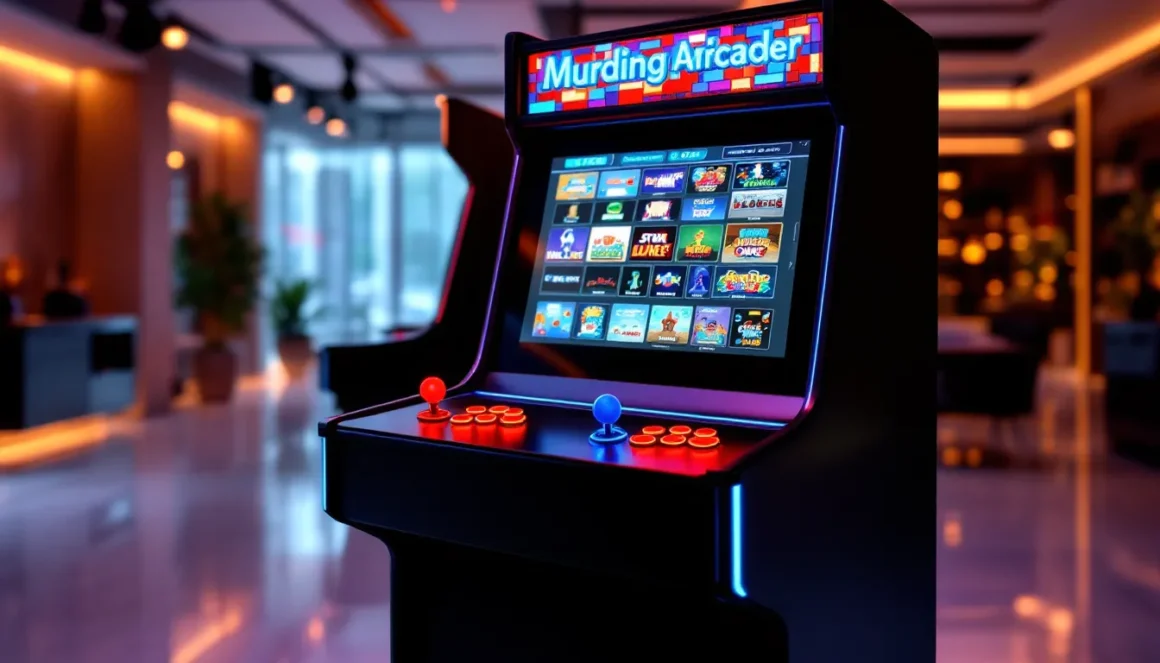
Walking into an arcade used to mean making tough decisions, spend your quarters on Street Fighter II, or save them for Galaga? Multi-game arcade machines obliterated that dilemma entirely. These cabinets pack dozens, hundreds, or even thousands of classic titles into a single unit, transforming your game room into a personal arcade hall without needing a small warehouse to house individual cabinets.
The multi-game arcade market has exploded in recent years, driven by nostalgia, improved emulation technology, and the realization that owning 60+ arcade games doesn’t require 60+ cabinets. Whether you’re eyeing a plug-and-play commercial unit, a JAMMA board swap, or a full DIY Raspberry Pi build, understanding the landscape matters. This guide breaks down everything you need to know about multi-game arcade machines in 2026, from the tech that powers them to which cabinets deliver the best bang for your buck.
Key Takeaways
- Multi-game arcade machines eliminate the need to choose between individual cabinets by packing dozens, hundreds, or thousands of classic titles into a single unit, saving both space and cost.
- Three main types of multi-game arcade machines exist: JAMMA board swaps ($80–$300), emulation-based Raspberry Pi builds ($400–$600), and commercial plug-and-play units like Arcade1Up ($300–$900), each offering different trade-offs in authenticity and ease of use.
- A quality multi-game cabinet delivers superior variety and replay value by allowing players to switch between genres and arcade games, extending the lifespan of your investment far beyond repetitive single-title gameplay.
- When buying a multi-game arcade machine, prioritize curated game libraries over inflated game counts, inspect build quality including control panel mounting and cabinet materials, and verify that the display type and control layout match your game preferences.
- Building a DIY Raspberry Pi 5 arcade machine offers the best performance-per-dollar ratio at under $500, but requires technical knowledge; alternatively, commercial units and JAMMA boards provide plug-and-play convenience for users who prefer simplicity over customization.
- Regular maintenance including microswitch replacement, dust cover cleaning, and proper configuration management keeps arcade machines functioning reliably, with local arcade communities and online forums providing invaluable support for troubleshooting and sourcing parts.
What Is a Multi-Game Arcade Machine?
A multi-game arcade machine is a single arcade cabinet housing multiple playable titles, accessed through an on-screen menu system. Instead of one PCB running one game like original arcade hardware, these machines use modern circuit boards, emulation software, or pre-loaded commercial systems to deliver entire libraries of classic games.
The concept isn’t entirely new. Early multi-carts existed in the ’90s, but they were janky, often pirated, and rarely worked well. Modern multi-game cabinets are a different beast. They leverage powerful ARM processors, refined emulation cores, and legal ROM distributions (in some cases) to recreate arcade classics with impressive accuracy.
Most multi-game machines fall into three camps: JAMMA board swaps that replace original arcade PCBs, emulation-based DIY builds running software like RetroPie or Batocera, and commercial plug-and-play units from manufacturers like Arcade1Up or AtGames. Each approach offers different trade-offs in cost, authenticity, and game selection.
Types of Multi-Game Arcade Machines
JAMMA-Based Multi-Game Boards
JAMMA (Japan Amusement Machine and Marketing Association) is the standardized wiring harness used in most arcade cabinets from the mid-’80s onward. Multi-game JAMMA boards like the Pandora’s Box series or Jamma Multi Board plug directly into existing cabinets, replacing the original PCB.
These boards typically include 500 to 3,000+ games, though quality varies wildly. You’ll find legitimate classics like Metal Slug, 1941, and The King of Fighters alongside obscure bootlegs and homebrew titles that pad the count. The main appeal? JAMMA boards work with authentic arcade controls and CRT monitors, preserving that original feel.
Installation is straightforward if your cabinet uses JAMMA wiring. Older pre-JAMMA games (like Donkey Kong or Pac-Man) require adapter harnesses, but those are readily available. Expect to pay $80-$300 depending on game count and board quality.
Emulation-Based Cabinets
Emulation builds use single-board computers, usually a Raspberry Pi 4 or 5, running arcade emulation software. RetroPie, Batocera, and Recalbox are the most popular OS options, leveraging emulators like MAME, FinalBurn Neo, and Flycast to run thousands of arcade ROMs.
This route offers maximum flexibility. You control the game library, can update emulation cores for better accuracy, and tweak performance settings per-game. The downside? Setup requires technical knowledge, ROM sourcing lives in a legal gray area (unless you own the original boards), and compatibility isn’t guaranteed for every title.
Performance has improved dramatically with the Pi 5’s release in late 2025. Most 2D arcade games run flawlessly, and demanding titles like Tekken 3, Soul Calibur, and even some Dreamcast-based arcade ports hit playable frame rates. For maximum power, builders are increasingly turning to mini PCs with dedicated GPUs, though that drives costs up to $400-$600 for the hardware alone.
Pre-Loaded Commercial Cabinets
Commercial multi-game cabinets target casual buyers who want plug-and-play simplicity. Arcade1Up dominates this space with licensed machines featuring curated game collections, typically 10-15 titles centered around a theme (Capcom fighting games, Midway classics, etc.).
These units trade authenticity for convenience. They’re 3/4 scale (smaller than original cabinets), use LCD screens instead of CRTs, and feature simplified controls. But they’re affordable ($300-$600), require zero technical knowledge, and come with legal ROM licenses.
AtGames Legends machines offer another commercial option, packing 100-350 games into full-size or countertop cabinets. Build quality sits a notch below Arcade1Up, but the game libraries are broader. Recent 2026 models added Wi-Fi leaderboards and DLC game packs, extending replay value.
Benefits of Owning a Multi-Game Arcade Machine
Space and Cost Efficiency
Original arcade cabinets are massive. A single machine occupies 4-6 square feet of floor space and weighs 200-350 pounds. Collecting even a modest library of full-size arcade games requires dedicated space most people don’t have.
Multi-game cabinets solve the real estate problem. One machine delivers 50, 100, or 1,000+ games in the same footprint as a single dedicated cabinet. That’s the difference between turning a spare bedroom into an arcade or settling for one game.
Cost savings compound over time. Individual arcade boards for popular titles like Street Fighter II or Mortal Kombat run $100-$400 each. A quality multi-game setup costs $500-$2,000 upfront but grants access to entire arcade libraries. For collectors who want variety without financial ruin, it’s a no-brainer.
Variety and Replay Value
Arcade games were designed for short, intense sessions. Most classics deliver 5-15 minutes of gameplay per credit. That’s perfect in a commercial arcade setting but limiting at home. Beating Galaga for the 50th time gets stale.
Multi-game machines fix the repetition problem. Switching between genres, shmups, fighters, beat-’em-ups, puzzle games, keeps sessions fresh. One night you’re running through Metal Slug 3’s branching levels, the next you’re chasing high scores in DoDonPachi. The variety extends the lifespan of your investment dramatically.
This versatility also makes multi-game cabinets ideal for parties and social gaming. Not everyone vibes with fighting games, but throw in some four-player Teenage Mutant Ninja Turtles or Gauntlet and suddenly everyone’s got a controller. The broader the library, the wider the appeal.
Top Multi-Game Arcade Machines to Consider in 2026
Arcade1Up Infinity Game Table Pro ($800-$900) isn’t a traditional upright cabinet, but it’s become a sleeper hit for multi-game functionality. This digital table plays 100+ arcade classics, board games, and puzzle titles on a 32-inch touchscreen. It’s perfect for game rooms where vertical space is limited. The table format works surprisingly well for classics like Centipede, Missile Command, and top-down shmups.
Pandora’s Box DX 3000-in-1 ($250-$350) remains the go-to JAMMA board for budget-conscious builders. It packs over 3,000 games (though realistically 800-1,000 are worth playing), supports CRT and LCD monitors, and includes save state functionality. Build quality improved significantly in the 2025 revision, with better filtering options and fewer ROM glitches.
AtGames Legends Ultimate Home Arcade ($600-$700) offers a polished commercial option for DIY-averse buyers. The 2026 ArcadeNet 2.0 update added 150+ licensed games via subscription ($50/year), including rare Capcom and SNK fighters. The 24-inch screen, adjustable height, and Bluetooth connectivity justify the premium over cheaper alternatives.
For DIY builders, a custom RetroPie build using a Raspberry Pi 5 ($120 for the 8GB model) delivers the best performance-per-dollar ratio. Pair it with a quality arcade control board like the Ultimarc IPAC 2 ($44) and a 4:3 LCD monitor, and you’ve got a sub-$500 machine that outperforms most commercial units. Technical knowledge required, but the customization potential is unmatched.
RecRoomMasters Full-Size Multi-Game Cabinet ($1,800-$2,500) targets buyers who want commercial quality without compromise. These machines feature authentic full-size dimensions, commercial-grade Happ or Sanwa controls, and pre-loaded software with 1,000+ games. Build quality rivals original arcade cabinets, and the company handles all assembly and configuration. It’s expensive but turnkey.
According to recent coverage, high-end multi-game systems are increasingly incorporating modern conveniences like RGB lighting, streaming capabilities, and modular control panels. The gap between budget and premium units continues to widen as enthusiasts demand more authenticity.
Key Features to Look for When Buying
Game Library Size and Quality
Numbers lie. A cabinet advertising 5,000 games might sound impressive until you realize 4,000 are duplicates, hacks, or unplayable garbage. Focus on curated libraries that list specific titles rather than inflated game counts.
Check if the machine includes the games you actually want to play. A 500-game cabinet with Metal Slug 1-5, Street Fighter II variants, and classic shmups beats a 3,000-game unit padded with bootleg Mahjong clones. Look for boards or systems that let you add or remove games, flexibility matters.
Licensing is another consideration. Commercial units like Arcade1Up use legally licensed ROMs, which means better emulation quality and no legal gray areas. JAMMA boards and DIY builds often rely on ROMs of questionable origin. If that bothers you, stick with licensed options.
Cabinet Build Quality and Design
Arcade machines take abuse. Cheap cabinets use thin MDF that warps over time, flimsy T-molding that peels off, and laminated artwork that bubbles under humidity. Quality units use 3/4-inch plywood or thick MDF, proper edge banding, and vinyl graphics applied over sealed wood.
Inspect the joystick and button mounting. Proper cabinets use control panels with recessed mounting that keeps fasteners hidden and controls stable. Budget builds often surface-mount everything, leading to loose buttons and wobbly sticks after a few months.
Full-size cabinets (68-72 inches tall) deliver the authentic arcade experience but require serious space. Three-quarter scale machines (around 50 inches) fit tighter spaces while preserving playability. Countertop/bartop cabinets (18-24 inches tall) work for apartments or desks but sacrifice immersion.
Control Layout and Customization
Control layout determines which games play well. A standard 2-player, 6-button layout handles most fighters, shmups, and beat-’em-ups. Adding a trackball opens up classics like Golden Tee, Centipede, and Missile Command. Spinner support (paddle controller) is essential for Tempest and Arkanoid.
Sanwa and Seimitsu parts are the gold standard for Japanese arcade controls, crisp, responsive, and durable. American-style Happ or iL controls offer stiffer springs and longer throws, preferred for fighters like Mortal Kombat. Many multi-game cabinets cheap out with generic Chinese parts that feel mushy and wear quickly.
Customization matters if your tastes evolve. Machines with standard JAMMA harnesses or USB-connected controls make upgrades easy. Proprietary control boards lock you into the manufacturer’s ecosystem, limiting future modifications.
Display Type and Resolution
CRT vs. LCD remains a heated debate. CRT monitors deliver zero input lag, perfect scanlines, and authentic arcade visuals. They’re also heavy (50+ pounds), require high voltage, and are increasingly hard to find. Most purists insist CRTs are mandatory for classic arcade gaming, and they’re not entirely wrong.
LCD screens offer convenience: lighter weight, higher brightness, and easier replacement. Modern 4:3 LCDs minimize input lag (5-10ms on quality panels), though it’s still higher than CRT’s instant response. For casual players, the difference is negligible. For competitive fighters or twitch shmups, it’s noticeable.
Screen size and resolution should match your game library. A 19-24 inch 4:3 LCD at 1024×768 or 1280×1024 works perfectly for arcade games designed for those aspect ratios. Avoid 16:9 widescreen monitors unless you’re fine with stretched graphics or black bars.
How to Build Your Own Multi-Game Arcade Machine
Choosing the Right Cabinet
Three paths for acquiring a cabinet: buy new, buy used, or build from scratch. New cabinets from suppliers like RecRoomMasters or DIY Retro Arcade run $400-$800 unfinished (no electronics). You’re paying for precision cuts, professional assembly, and ready-to-install control panels.
Used cabinets appear regularly on Craigslist, Facebook Marketplace, and arcade forums. Expect to pay $100-$400 depending on condition. Many sellers offload non-working machines, which is fine if you’re gutting the electronics anyway. Check for water damage, warped wood, and monitor well integrity before buying.
Scratch builds appeal to woodworkers with the skills and tools. Detailed plans are available from sites like KLOV (Killer List of Videogames) and Slagcoin. Budget $200-$400 in materials (plywood, T-molding, hardware) plus significant time investment. Unless you already own a table saw and router, buying is usually cheaper.
Cabinet style affects gameplay feel. Upright cabinets with a vertical monitor suit most arcade games. Cocktail tables with horizontal screens work for specific titles like Pac-Man or Space Invaders but limit viewing angles. Pedestal/bartop cabinets save floor space but lose the standing arcade experience.
Selecting Hardware and Software
Raspberry Pi 5 (8GB) ($120) is the current sweet spot for emulation builds. It handles nearly all 2D arcade games flawlessly and runs many 3D titles (Tekken Tag, Sega Rally, House of the Dead 2) at playable frame rates. The improved GPU over Pi 4 finally makes PSX and Dreamcast arcade ports viable.
For hardcore builders targeting perfect accuracy, a mini PC with an Intel N100 or AMD Ryzen chip ($300-$500) runs full MAME at native resolution with zero slowdown. These systems also support newer emulated platforms like Atomiswave and Naomi with room to spare.
RetroPie remains the most popular arcade OS for Pi builds. It’s user-friendly, has massive community support, and handles ROM management elegantly. Batocera offers similar functionality with better out-of-box polish and broader system support. For advanced users, Lakka provides a lightweight RetroArch-focused experience.
Controls require an encoder board to translate arcade buttons and joysticks into USB input. The Ultimarc IPAC 2 ($44) supports two-player setups and is foolproof to configure. Budget option? A Zero Delay USB encoder ($15-$20) works but may introduce slight input lag.
You’ll also need a power supply, amplifier (if adding speakers), wiring harnesses, and miscellaneous connectors. Budget $80-$150 for these components. Don’t cheap out on the power supply, random shutdowns during gameplay kill the experience.
Assembly and Configuration Tips
Mount the monitor first. It’s the heaviest component and dictates placement of everything else. Secure it properly, falling monitors are dangerous and expensive. Use vibration-isolating hardware if using a CRT to reduce electromagnetic interference.
Run all wiring before installing the control panel. Fishing wires through a sealed cabinet is miserable. Use zip ties and cable channels to keep things organized. Future-you will appreciate clean wiring when troubleshooting.
Test every button and direction before closing up the cabinet. Load a controller testing program in RetroPie/Batocera and verify all inputs register correctly. Fixing a reversed joystick direction is easy before assembly, nightmarish after.
ROM configuration is its own rabbit hole. Most arcade games require specific emulator cores and settings for optimal performance. The RetroPie wiki and Batocera documentation provide per-game recommendations. Expect to spend time tweaking settings, not everything works perfectly out of the box.
For those interested in crafting DIY arcade games, the technical skills learned building a multi-game cabinet translate directly to custom game development projects. The hardware foundation is identical.
Maintenance and Troubleshooting Tips
Arcade machines are surprisingly low-maintenance once properly assembled, but issues pop up. Button microswitches wear out after 500,000-1,000,000 presses. Cherry and Sanwa microswitches last longer than generic clones. Keep spares on hand, they’re cheap ($1-$3 each) and swap in minutes.
Joystick dust covers prevent gunk from jamming the mechanism. If a stick feels sticky or unresponsive, disassemble it and clean the shaft with isopropyl alcohol. Most joystick issues stem from accumulated dust and drink spills, not mechanical failure.
Monitor issues vary by type. CRT troubleshooting requires caution, capacitors hold lethal voltage even when unplugged. If you’re not trained, leave CRT repairs to professionals. Common symptoms like dim picture, color drift, or geometry problems usually need a full cap kit replacement ($50-$100 in parts).
LCD screens fail less dramatically. Dead pixels, backlight bleed, and flickering typically mean it’s time to replace the panel. Fortunately, 19-inch 4:3 LCDs are still available new ($100-$150) or used ($40-$80). Swapping screens requires screwdriver work but zero electrical expertise.
Software issues are usually config-related. Games running slow? Check if the correct emulator core is selected, some arcade games run better on FinalBurn Neo than MAME, or vice versa. Audio crackling often indicates a buffer size problem: increasing audio latency in RetroArch settings usually fixes it.
ROM versioning causes frequent headaches. MAME updates constantly, and ROM dumps change between versions. A game working in MAME 0.240 might break in 0.250. Stick with ROM sets matching your MAME version, or use a ROM manager like ClrMamePro to verify compatibility.
Keep a second SD card or backup image of your working configuration. Emulation software updates occasionally break things. Having a known-good image lets you roll back instantly instead of rebuilding from scratch. Cloud backups work, but local copies are faster.
Regular cleaning matters. Dust buildup on Raspberry Pi heatsinks causes thermal throttling, which leads to frame drops. Compressed air every few months prevents most cooling issues. According to industry guides, consistent maintenance routines extend cabinet lifespan by years and preserve resale value.
Where to Buy Multi-Game Arcade Machines
Amazon stocks commercial units like Arcade1Up and AtGames machines with fast shipping and easy returns. Prices run 10-15% higher than direct-from-manufacturer, but Prime shipping and Amazon’s return policy offset the premium. Watch for seasonal sales, Black Friday and Prime Day regularly knock 25-40% off.
Direct from manufacturers (Arcade1Up.com, AtGames.net) offers the widest selection and occasional exclusives. Sign up for email lists, they run flash sales and clearance events on discontinued models. Shipping costs more than Amazon, but you’re supporting the companies directly.
Specialty arcade retailers like RecRoomMasters, Tornado Terry’s, and DIY Retro Arcade sell higher-end cabinets, parts, and full builds. Expect premium pricing but also premium quality. These shops cater to enthusiasts who want commercial-grade machines, not mass-market units.
JAMMA boards are available from AliExpress, eBay, and specialized forums. Prices vary wildly, $80-$300 depending on game count and board revision. Read seller reviews carefully: counterfeit boards and DOA units are common. If buying international, factor in 4-6 week shipping times.
Local classifieds (Craigslist, Facebook Marketplace, OfferUp) yield the best deals on used cabinets and complete machines. Sellers often don’t know what they have, $200 “broken arcade machine” might just need a $15 power supply. Always test before buying, and bring a truck. Most arcade cabinets won’t fit in a sedan.
Arcade forums and communities like KLOV, Reddit’s r/cade, and Arcade Museum host marketplaces where enthusiasts buy, sell, and trade. Prices are fair, sellers are knowledgeable, and you’re dealing with people who actually care about arcade preservation. Shipping full cabinets gets expensive, but parts and boards ship easily.
Retro gaming expos and conventions feature vendors selling arcade hardware. You’re paying retail or above, but you can inspect before buying and often negotiate bundles. Events like Midwest Gaming Classic and California Extreme attract serious collectors, good for rare finds.
For those exploring different types of arcade games beyond multi-game cabinets, many specialty retailers stock both single-game dedicated units and multi-game systems, letting you compare build quality and control feel side-by-side.
Conclusion
Multi-game arcade machines solved a problem collectors didn’t know they had until the solution existed. Instead of choosing between a handful of titles you can physically house, you get entire arcade eras in a single cabinet. The technology matured dramatically over the past few years, emulation accuracy, legal ROM options, and commercial build quality all improved while prices stayed relatively stable.
Whether you’re dropping $250 on a JAMMA board to revive a dead cabinet, building a custom RetroPie machine from scratch, or buying a turnkey commercial unit, the multi-game format delivers unmatched value. The key is matching your purchase to your priorities: authenticity vs. convenience, customization vs. plug-and-play, budget vs. build quality.
The arcade resurrection isn’t slowing down. As more manufacturers enter the space and emulation tech continues advancing, 2026 is genuinely the best time yet to bring the arcade home, without needing a second mortgage or a warehouse.