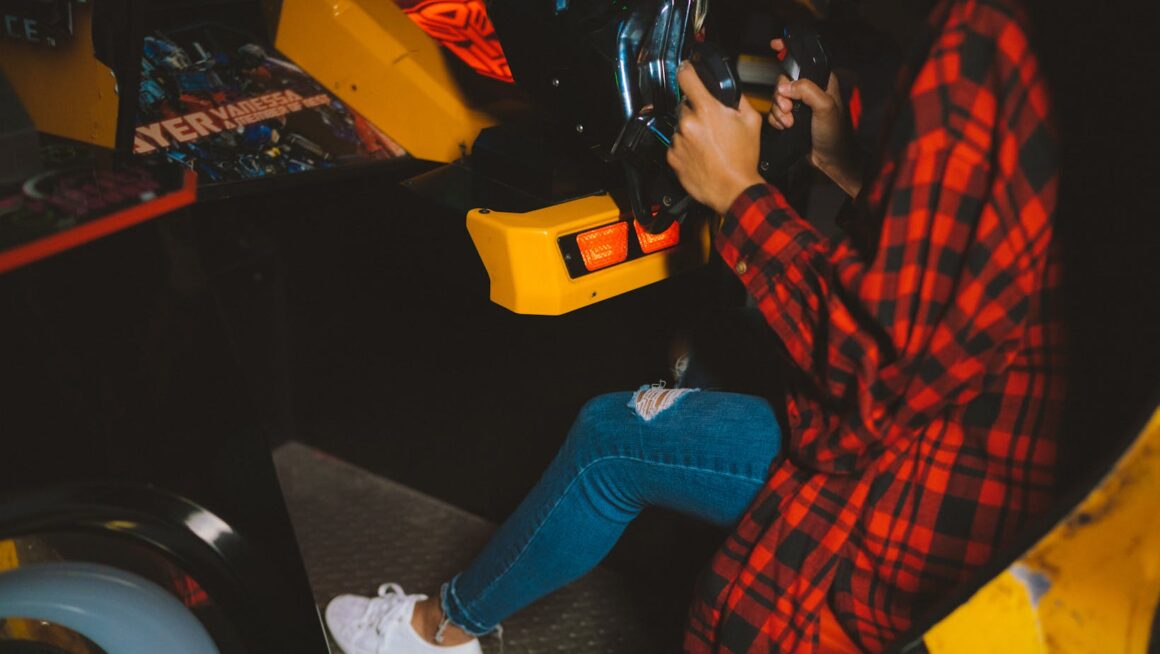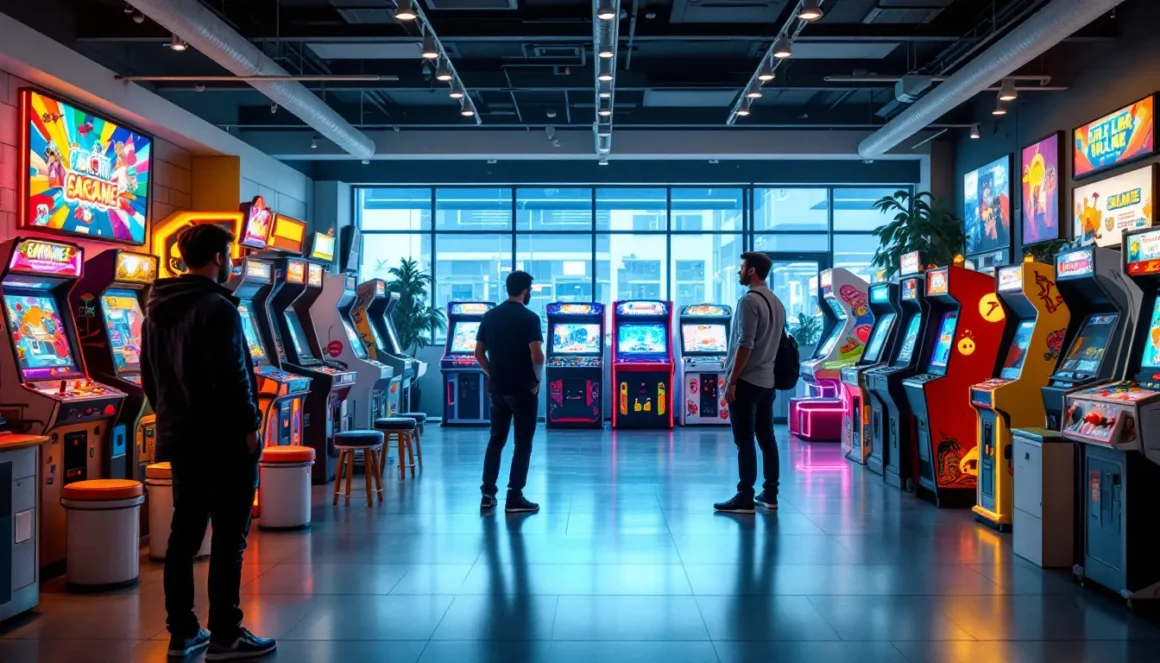
Walking into a game room and seeing a full-size arcade cabinet glowing in the corner hits different than firing up a console. There’s something about the physical presence, the authentic controls, and the nostalgia rush that makes owning your own arcade machine appealing in ways a Steam library can’t match.
In 2026, the market for home arcade machines is more accessible than ever. Whether you’re hunting for an original 1980s Galaga cabinet or a modern multi-game setup with 10,000+ titles, the options range from collector-grade restorations to plug-and-play bartop units. But finding the right machine locally, and knowing what to look for, requires more than just browsing Facebook Marketplace.
This guide covers everything from identifying reputable local sources to inspecting used cabinets like a pro, understanding fair pricing, and getting your new machine home safely. Let’s get into it.
Key Takeaways
- Arcade games for sale near you range from classic 1980s cabinets ($1,000–$5,000+) to affordable modern options like Arcade1Up bartops ($200–$800), with prices stabilized and more accessible inventory in 2026 than ever before.
- Test all controls, inspect the monitor for burn-in or damage, and check internal PCBs for corrosion before purchasing—these are the most expensive and critical components to evaluate when buying used arcade machines.
- Find arcade games locally through specialty retailers with warranties and testing facilities, online marketplaces like Facebook Marketplace, estate sales, and arcade distributors, each offering different price points and inventory reliability.
- Plan for proper transportation with a full-size truck and helper, ensure adequate electrical circuits and climate-controlled space in your home, and account for ongoing maintenance like button replacement ($10–$30) and monitor care.
- Choose between ready-to-play machines for immediate enjoyment or project cabinets (30–60% cheaper) if you have restoration skills and time to invest in upgrading components and cosmetics.
Why Buy an Arcade Game in 2026?
The arcade market has matured significantly over the past few years. What was once a niche hobby dominated by hardcore collectors has expanded into a legitimate home entertainment option for gamers across all demographics.
Prices have stabilized compared to the pandemic-era spike when retro gaming demand pushed values sky-high. Many sellers are now motivated to move inventory, which means better deals for buyers who know where to look. Also, the availability of replacement parts, from reproduced control panels to modern LCD monitor conversions, makes owning and maintaining a cabinet far easier than it was a decade ago.
Beyond the practical aspects, there’s the experience itself. Playing Street Fighter II on an original arcade stick or lining up a perfect shot in NBA Jam on a full-size cabinet delivers a tactile satisfaction that emulation setups struggle to replicate. For those building dedicated game rooms or home bars, an arcade machine becomes both functional entertainment and a conversation piece.
The current market also offers more variety. You’re not limited to hunting down rare originals. Companies like Arcade1Up have popularized affordable 3/4-scale cabinets, while custom builders offer everything from MAME-based multi-cades to faithfully restored vintage units. Whether your budget is $500 or $5,000, there’s a machine that fits.
Types of Arcade Games Available for Purchase
Classic Arcade Cabinets
Original vintage cabinets from the 1980s and 1990s remain the gold standard for collectors. These are the machines that lived in actual arcades, titles like Pac-Man, Donkey Kong, Mortal Kombat, or Tekken 3. They feature authentic artwork, original PCBs (printed circuit boards), CRT monitors, and period-correct controls.
Pricing varies wildly based on rarity, condition, and desirability. A well-maintained Ms. Pac-Man might run $1,200–$2,000, while a pristine Neo Geo MVS four-slot cabinet could push $3,500+. Condition is everything. A cabinet with faded sideart, monitor burn-in, or non-functional controls will cost significantly less but may require restoration work.
These machines carry the most nostalgia weight, and their lasting cultural appeal continues to drive demand among serious collectors.
Multi-Game Arcade Machines
Multi-cades pack dozens to thousands of games into a single cabinet. Most run on MAME (Multiple Arcade Machine Emulator) or similar software, using a PC or Raspberry Pi to emulate classic arcade hardware.
These are popular for buyers who want variety without needing ten separate cabinets. A typical multi-game machine might include:
- 50–10,000+ classic arcade titles
- Custom frontend interfaces for easy game selection
- Support for multiple control schemes (4-way, 8-way joysticks, spinner, trackball)
- Modern LCD monitors instead of CRTs
Quality varies dramatically. High-end custom builds with premium components, authentic Sanwa or Happ controls, and professional cabinet construction can rival original machines in feel and durability. Budget options from overseas manufacturers may use cheaper materials and less responsive controls.
Prices range from $600 for basic commercial units to $3,000+ for custom-built machines with premium features.
Pinball Machines
Pinball occupies its own category in the arcade world. These machines are mechanically complex, featuring motors, solenoids, ramps, and intricate playfield designs that make them fundamentally different from video games.
Popular titles like Medieval Madness, The Addams Family, or Twilight Zone command premium prices, often $5,000–$12,000 for machines in good condition. Modern Stern pinball releases like Godzilla or Rush retail new for $6,000–$10,000+ depending on the edition (Pro, Premium, Limited).
Pinball maintenance is more involved than video arcade games. Rubber rings wear out, playfield wax needs periodic application, and electronic components can fail. But for enthusiasts, the physical gameplay and depth of rulesets make them worth the extra effort.
Modern Arcade Cabinets and Bartop Models
Arcade1Up revolutionized the home market with affordable 3/4-scale cabinets priced between $300–$600. These units are smaller than full-size machines (roughly 4 feet tall vs. 6 feet), making them ideal for apartments or smaller game rooms.
They typically include:
- 2–12 pre-loaded games per cabinet
- Licensed original artwork
- LCD displays
- Entry-level controls (adequate but not arcade-grade)
Modding culture around Arcade1Up is strong, with enthusiasts upgrading monitors, adding better joysticks and buttons, and loading custom game libraries.
Bartop cabinets sit on tables or counters and range from 18–24 inches tall. They’re popular for home bars, offices, or spaces where a full cabinet won’t fit. Pricing runs $200–$800 depending on build quality and game selection.
These modern options won’t satisfy purists seeking authentic arcade experiences, but they’re accessible entry points for casual collectors or younger gamers discovering classics for the first time.
Where to Find Arcade Games for Sale Locally
Specialty Arcade Retailers and Showrooms
Dedicated arcade retailers offer the most reliable buying experience. These businesses specialize in selling, restoring, and servicing arcade machines, often maintaining showrooms where you can play before purchasing.
Benefits include:
- Machines are typically tested and in working condition
- Warranties or return policies on some models
- Delivery and setup services available
- Expert staff who can answer technical questions
Major metro areas usually have at least one established arcade retailer. Smaller markets may require driving 1–2 hours to reach a showroom, but seeing and playing a machine before buying is worth the trip for first-time buyers.
Prices at retailers run 10–30% higher than private sales, but you’re paying for peace of mind and support. Many also offer restoration services if you find a project machine elsewhere.
Online Marketplaces with Local Pickup Options
Facebook Marketplace, Craigslist, and OfferUp dominate the private sale market for arcade machines. These platforms let you filter by location, making it easy to find machines available for local pickup within 25–50 miles.
This is where deals happen. Sellers include former arcade operators liquidating inventory, homeowners clearing out basements, and flippers looking to move machines quickly. Prices vary wildly, you might find a working Golden Tee for $800 or a non-functional project cabinet for $200.
Key considerations when buying through marketplaces:
- Always test before paying. Don’t trust “it worked last time I plugged it in.”
- Ask for video of the game running, showing all functions (sound, controls, attract mode)
- Negotiate based on condition, cosmetic damage and needed repairs are leverage
- Bring a helper and appropriate vehicle for pickup
Facebook Marketplace has largely replaced Craigslist as the go-to platform in most regions, but checking both increases your chances of finding good inventory.
Auction Houses and Estate Sales
Estate sales occasionally feature arcade machines from private collectors or individuals who owned home game rooms. These sales typically advertise online through platforms like EstateSales.net or local auction houses.
Pricing at estate sales can swing both ways. Sometimes families don’t know the value and price machines low: other times they’ve Googled “rare arcade games” and have inflated expectations. Showing up early, or even attending preview days, gives you first shot at quality pieces.
Auction houses that specialize in antiques or collectibles sometimes run arcade-specific auctions, particularly in regions with closed arcades or family entertainment centers. These can be treasure troves for finding multiple machines, parts, and memorabilia in one location.
Be prepared to haul machines yourself, as most estate sales and auctions are “as-is, where-is” with no delivery options.
Arcade Game Distributors and Wholesalers
Distributors typically sell to commercial buyers (arcades, bars, family entertainment centers), but some work with private individuals, especially for multi-machine purchases.
These sources are best for:
- Buying new commercial-grade machines (modern titles like Jurassic Park Arcade or Fast & Furious Super Bikes)
- Purchasing multiple machines at volume discounts
- Accessing refurbished units with warranties
Pricing is usually wholesale or near-wholesale, meaning better than retail but not as cheap as private sales. Relationships matter here, developing rapport with a distributor can lead to advance notice on liquidations or returned inventory.
Some distributors maintain warehouses open for walk-ins, while others operate strictly B2B. Calling ahead and explaining your intent as a serious buyer (not a tire-kicker) increases your chances of access.
What to Look for When Buying a Used Arcade Machine
Inspecting the Cabinet and Cosmetic Condition
Start with the exterior. Cosmetic issues aren’t deal-breakers, but they affect value and determine how much restoration you’ll need.
Check for:
- Sideart condition: Is it original, a reproduction, or missing entirely? Original artwork in good shape adds significant value. Faded or peeling art can be replaced but adds cost ($150–$400 for reproduction sideart).
- Cabinet damage: Look for water damage (warping, soft spots, mold smell), cracks, chips, or structural issues. Lifting a corner slightly can reveal rotting wood from moisture.
- Control panel wear: Heavy use creates divots around joysticks and buttons. Original CPOs (control panel overlays) in good shape are increasingly rare and valuable.
- Marquee and bezel: Backlit marquees should light evenly. Cracks or discoloration reduce appeal. Bezels (the frame around the monitor) often show scratches or sun fading.
Minor cosmetic issues are bargaining chips. Serious structural damage, particularly water or rot, should make you walk unless you’re experienced with restoration.
Testing Controls, Buttons, and Joysticks
Controls make or break playability. Testing them thoroughly is non-negotiable.
During your test:
- Joystick: Move through all directions. It should return to center smoothly without sticking. Dead zones or grinding noises indicate worn microswitches or bushings.
- Buttons: Press each button repeatedly. They should click cleanly and register every press. Mushy or unresponsive buttons need replacing.
- Player 1 and Player 2: Test both sets of controls independently. Many sellers only test P1.
- Specialty controls: If the game uses spinners, trackballs, steering wheels, or pedals, test them extensively. These are harder and more expensive to replace than standard joysticks.
Replacement parts are available, but factor costs into your offer. A full set of quality Happ or IL joysticks and buttons runs $40–$100 depending on configuration.
Evaluating the Monitor and Display Quality
The monitor is often the most expensive component to replace. Understanding what you’re looking at is critical.
For CRT monitors (original displays):
- Burn-in: Look for ghost images from static elements (score displays, logos). Minor burn-in is cosmetic: severe burn-in affects visibility.
- Image quality: Is the picture sharp and bright? Dim, blurry, or discolored images suggest a dying tube.
- Geometry: Does the image fill the screen properly, or is it warped/shifted? Some adjustment is normal, but extreme geometry issues may indicate dying components.
- Convergence: Colors should align correctly. If red, green, and blue elements separate (creating rainbow halos), the monitor needs service.
CRT replacement or repair costs $150–$400+ depending on size and availability. Many buyers opt for LCD conversions instead ($100–$250), which are brighter and more reliable but lose the authentic CRT look.
For LCD monitors (modern conversions or recent machines):
- Check for dead pixels, cracks, or significant backlight bleed
- Verify resolution matches the game’s native output for optimal clarity
Technical reviewers at PCMag often evaluate display quality metrics that apply to gaming monitors, which can inform expectations for LCD-converted cabinets.
Checking the PCB and Internal Components
Opening the cabinet reveals the heart of the machine. If the seller allows (and they should), inspect the internals.
Look for:
- PCB condition: The game board should be clean, free of corrosion, and securely mounted. Battery leakage (from save-game batteries) can destroy PCBs. White or green crusty residue is a bad sign.
- Wiring: Original wiring harnesses should be intact without spliced connections or exposed wires. Messy wiring suggests amateur repairs.
- Power supply: Listen for buzzing or clicking noises. A failing power supply can damage other components.
- Coin door and mechs: If you care about using real quarters, test the coin mechanisms. Most home users disable these, but functional mechs add authenticity.
For buyers new to arcade hardware, bringing someone with electrical or arcade repair experience is smart. Red flags here can mean expensive repairs or a non-working machine soon after purchase.
If you’re considering a DIY build, understanding these components becomes even more critical.
Price Guide: How Much Should You Pay for an Arcade Game?
Factors That Affect Arcade Game Pricing
Arcade pricing isn’t as simple as checking a price guide. Multiple factors influence what a machine is worth:
Rarity and Desirability
Iconic titles command premiums. A Mortal Kombat II cabinet sells for more than a generic Brick Buster clone, even in similar condition. Limited production runs or games with cult followings (like Killer Instinct or X-Men vs. Street Fighter) push prices higher.
Condition
A fully restored, museum-quality cabinet can cost 2–3x more than a functional but cosmetically rough example of the same game. Working original components (PCB, monitor, controls) are worth more than machines with replacement parts or conversions.
Originality
Collectors pay top dollar for all-original machines with matching serial numbers, factory artwork, and unmodified cabinets. Conversions, where one game’s cabinet was gutted and turned into another, are worth significantly less.
Local Market
Pricing varies by region. Machines in major cities with active collector communities tend to run higher than rural areas. Supply and demand shift based on local arcade history and population density.
Included Accessories
Original marquees, keys, manuals, schematics, and even purchase receipts add value for serious collectors.
Average Prices by Arcade Game Type
Here’s a realistic breakdown for 2026 pricing across different categories. These are averages for machines in working, playable condition:
Classic single-game cabinets (original):
- Common titles (Galaga, Ms. Pac-Man, Centipede): $1,000–$2,000
- Mid-tier desirability (Street Fighter II, NBA Jam, Mortal Kombat): $1,500–$3,000
- Rare or highly sought-after titles (Tron, Dragon’s Lair, Killer Instinct): $2,500–$5,000+
Multi-game cabinets:
- Budget commercial units (overseas imports): $600–$1,200
- Mid-range custom builds: $1,500–$2,500
- High-end custom machines (premium components, custom artwork): $2,500–$4,000+
Pinball machines:
- 1980s–1990s common titles (good condition): $2,000–$4,000
- High-demand classics (Medieval Madness, Twilight Zone): $6,000–$12,000
- Modern Stern releases (new): $6,000–$10,000+
Modern commercial cabinets (Arcade1Up, AtGames, etc.):
- Arcade1Up (3/4 scale): $300–$600
- Bartop cabinets: $200–$800
- Full-size officially licensed (new): $500–$1,000
Project machines (non-working or need restoration):
- Parts cabinets or heavily damaged: $100–$400
- Non-working but complete machines: $300–$800
These figures represent fair market value. You’ll find outliers in both directions, desperate sellers listing below market or optimistic owners pricing at nostalgia premiums.
How to Transport and Set Up Your Arcade Machine
Planning Your Space and Electrical Requirements
Before moving a 250–350 lb cabinet into your house, confirm it’ll actually fit and function where you want it.
Space measurements:
- Full-size cabinets: Roughly 26–28″ wide × 32–36″ deep × 68–72″ tall
- 3/4-scale cabinets: About 22–24″ wide × 24″ deep × 48″ tall
- Bartop models: 18–24″ wide × 18″ deep × 24″ tall
Measure doorways, hallways, and staircases. Many cabinets need to be tilted or rotated to navigate tight spaces. Basement installations are popular but require planning, getting a cabinet down stairs is manageable, but getting it back out during a move is harder.
Electrical needs:
Most arcade machines run on standard 110V–120V household power. A single dedicated 15A circuit is ideal, though not strictly required for one machine. Older machines with CRT monitors and multiple players may draw 200–400W during operation.
Avoid daisy-chaining cabinets on power strips with other high-draw devices. Voltage fluctuations can damage sensitive PCBs and monitors.
Environmental concerns:
- Avoid damp basements, moisture is the enemy of wood cabinets and electronics
- Keep machines away from direct sunlight to prevent sideart fading
- Maintain room temperature between 60–80°F: extreme cold or heat stresses components
Safe Moving and Delivery Tips
Moving an arcade machine requires preparation. These aren’t light items, and they’re awkward to carry.
If you’re picking up yourself:
- Bring at least one strong helper, two is better
- Use a full-size truck or van: most full cabinets won’t fit in SUVs
- Bring moving blankets, straps, and a dolly rated for 400+ lbs
- Remove the back panel to disconnect the monitor and PCB if possible (reduces weight and protects components)
- Lay the cabinet on its back in the truck bed, securing it with straps to prevent shifting
Professional delivery:
Many arcade retailers and private sellers offer delivery for $75–$200+ depending on distance. This is worth considering for valuable or delicate machines, especially pinball.
Pro movers understand how to handle cabinets and typically carry insurance. DIY moves risk damage to the machine, your vehicle, and yourself.
Setup:
Once positioned, arcade machines need leveling (most have adjustable feet). Unlevel cabinets cause joystick drift and poor pinball performance. Use a spirit level on the control panel and adjust feet until perfectly level.
Plug in, power on, and verify all functions work as expected before the seller leaves (if applicable).
Maintenance and Long-Term Care for Your Arcade Game
Arcade machines are durable, but they require periodic maintenance to stay in top condition.
Routine cleaning:
- Wipe down the cabinet exterior monthly with a microfiber cloth and mild cleaner (avoid harsh chemicals on artwork)
- Clean control panels with isopropyl alcohol to remove grime buildup
- Dust interior components every 3–6 months using compressed air
- Clean monitor screens gently with screen-safe cleaner
Control maintenance:
- Joysticks may need microswitch replacement every 1–3 years depending on use. Switches cost $1–$2 each.
- Buttons should be cleaned or replaced if they become sticky or unresponsive. Complete button sets run $10–$30.
- Lubricate joystick shafts annually with light machine oil to maintain smooth movement.
Monitor care:
CRT monitors last decades with proper care but can fail suddenly. If you notice dimming, discoloration, or geometry drift, consult a CRT technician. DIY repairs involve high voltage and are dangerous without training.
LCD conversions eliminate these concerns but lack the authentic phosphor glow and instant response of CRTs. It’s a trade-off between nostalgia and practicality.
PCB and electrical:
- Check for battery leakage on game boards with save-game batteries every 6–12 months. Replace batteries before they leak.
- Keep connectors clean and snug. Loose wiring harnesses cause intermittent issues.
- If your machine uses a switching power supply, listen for unusual noises (clicking, buzzing). Failing PSUs should be replaced before they damage other components ($30–$80).
Long-term storage:
If you’re storing a machine for an extended period:
- Power it on monthly for 10–15 minutes to keep components active
- Store in a climate-controlled space (not hot attics or damp basements)
- Cover with breathable fabric to prevent dust accumulation without trapping moisture
Many arcade restoration enthusiasts maintain detailed logs of repairs and upgrades, which increases resale value and helps troubleshoot recurring issues.
Restoration vs. Ready-to-Play: Which Is Right for You?
Deciding between buying a turnkey machine and restoring a project depends on your skills, budget, and patience.
Ready-to-play machines cost more upfront but deliver immediate gratification. You’re paying for someone else’s time and expertise. This route makes sense if:
- You want to play immediately without troubleshooting
- You lack tools, space, or knowledge for restoration work
- You value originality and want a professionally restored cabinet
- You’re willing to pay premium prices for convenience
Retailers and experienced restorers sell plug-and-play machines with warranties or guarantees, reducing risk.
Restoration projects appeal to hands-on enthusiasts who enjoy the process as much as the result. Benefits include:
- Lower initial cost (project machines sell for 30–60% less than restored equivalents)
- Ability to customize artwork, controls, and features to your preferences
- Learning valuable skills in electronics, woodworking, and graphic design
- Satisfaction of bringing a machine back to life
Restoration requires:
- Time, expect 20–100+ hours depending on condition and scope
- Tools, soldering iron, multimeter, woodworking basics, cleaning supplies
- Knowledge, electrical troubleshooting, monitor repair, cabinet refinishing
- Budget for parts, plan on $200–$800+ for a typical restoration
Common restoration tasks include:
- Replacing sideart and marquees
- Refinishing or repainting cabinets
- Upgrading or repairing monitors
- Recapping power supplies and PCBs
- Installing new controls and wiring harnesses
For first-time buyers, a ready-to-play machine is usually the safer choice. As you gain experience and confidence, project machines become appealing for expanding your collection affordably.
Technology publications like Digital Trends occasionally cover the DIY gaming space, including arcade restoration as part of the broader retro gaming culture.
Some collectors split the difference by buying functional but cosmetically rough machines, then gradually upgrading components over time as budget allows.
Conclusion
Owning an arcade machine in 2026 is more accessible than ever, whether you’re after a pristine original cabinet or a modern multi-game setup. The key is knowing where to look, what to inspect, and how to value what you’re buying.
Local sources, from specialty retailers to private sellers on Facebook Marketplace, offer plenty of inventory if you’re patient and thorough. Testing controls, evaluating monitors, and understanding pricing trends separate good deals from money pits.
Once you’ve got a machine home, proper care and maintenance keep it running for years. And whether you buy turnkey or restore a project, you’re investing in something that delivers genuine tactile fun you won’t get from emulators or modern consoles.
Now’s a solid time to jump into the market. Start searching locally, ask questions, and don’t rush the decision. The right cabinet is out there.