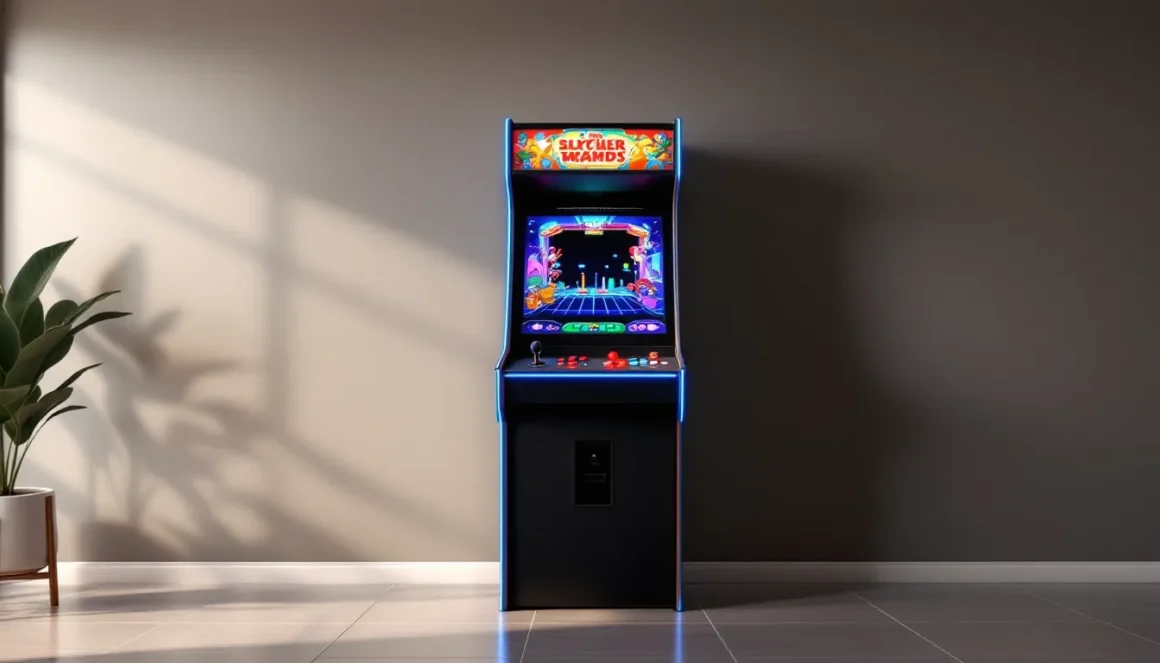
There’s something irreplaceable about the feel of a stand up arcade cabinet. The rumble of the controls beneath your palms, the glow of the CRT screen at eye level, the way your body leans into every move, it’s a physical connection that home consoles can’t replicate. Whether you’re chasing nostalgia or discovering the golden age of gaming for the first time, stand up arcade games offer an experience that’s as much about presence as it is about play.
In 2026, the arcade scene isn’t just alive, it’s thriving. Vintage cabinets are commanding serious money, modern reproductions are packed with conveniences, and DIY builders are crafting custom rigs loaded with thousands of games. The market for stand up arcade games for sale spans from garage finds to boutique restorations, and knowing what you’re looking at makes all the difference. This guide breaks down everything you need to know: what defines a stand up cabinet, which games are worth your time and money, and how to find, maintain, or even build your own machine.
Key Takeaways
- Stand up arcade games offer a unique physical experience with tangible joysticks, buttons, and direct screen interaction that home consoles cannot replicate.
- The 2026 stand up arcade market includes original vintage cabinets, professionally restored machines, modern reproductions, and DIY custom builds, with prices ranging from $200 to $20,000+ depending on condition and rarity.
- Popular stand up arcade games like Pac-Man, Street Fighter II, and Mortal Kombat remain highly sought-after by collectors, while hidden gems like Robotron: 2084 and Tempest offer rewarding gameplay for enthusiasts.
- Before purchasing a stand up arcade cabinet, measure your space carefully—standard machines are 26-30 inches wide, 32-36 inches deep, and 68-72 inches tall—and budget for maintenance costs like monitor repairs and control replacements.
- Building a custom MAME arcade cabinet with a PC or Raspberry Pi, joystick, buttons, monitor, and artwork is an affordable DIY option that provides access to thousands of games at $600–$1,500.
- Regular maintenance including cleaning, checking electrical connections, and replacing worn controls keeps stand up arcade machines running reliably for decades.
What Are Stand Up Arcade Games?
Defining the Classic Arcade Cabinet Experience
Stand up arcade games are vertical arcade cabinets designed for players to stand while they play. Unlike console gaming where you’re seated on a couch, these machines put you on your feet, directly in front of the controls. The design is iconic: a tall wooden or metal cabinet housing a CRT or LCD monitor, a control panel with joystick and buttons, a coin mechanism (or free play toggle), and speakers built into the unit.
The cabinet itself is part of the experience. Side art, marquee graphics, and bezel artwork aren’t just decoration, they’re branding, atmosphere, and sometimes the only way to identify a cabinet from across a dimly lit arcade floor. Original cabinets from the ’80s and ’90s featured hand-painted or screen-printed art that’s now collector-grade. Modern reproductions aim to replicate that aesthetic, though purists can tell the difference.
Controllers vary by game genre. Fighting games like Street Fighter II use six-button layouts with dual joysticks. Shooters like Galaga keep it simple with a single joystick and one or two fire buttons. Some cabinets feature trackballs (Golden Tee), spinners (Tempest), or steering wheels for driving games, though those often fall into the sit-down category.
How Stand Up Cabinets Differ from Sit-Down and Cocktail Machines
Sit-down cabinets are built around a seated experience, typically for racing or flight sim games. Think OutRun, Daytona USA, or Star Wars Arcade. These machines feature larger footprints, integrated seats, and often motion controls or force feedback. They’re immersive but take up serious floor space and aren’t what most people mean when they talk about classic arcade cabinets.
Cocktail cabinets are low, table-style machines with the screen facing upward under a glass top. Players sit on opposite sides, and the screen flips orientation depending on whose turn it is. Games like Ms. Pac-Man and Space Invaders were popular in this format, especially in bars and lounges. They’re compact and social but lack the commanding presence of a stand up machine.
Stand up cabinets hit the sweet spot: they’re space-efficient compared to sit-down rigs, more immersive than cocktail tables, and they’re what defined the arcade experience for most players. If you walked into an arcade in 1991, you were surrounded by rows of stand up cabinets.
The History and Evolution of Stand Up Arcade Cabinets
From Golden Age Classics to Modern Retro Releases
The golden age of arcade games ran roughly from 1978 to 1986, kicked off by Space Invaders and turbocharged by Pac-Man, Donkey Kong, and Defender. Stand up cabinets were everywhere: malls, movie theaters, pizza joints, convenience stores. These weren’t just gaming machines, they were social hubs and money printers. A popular cabinet could generate thousands of dollars a month.
By the early ’90s, the scene shifted. Fighting games like Street Fighter II (1991) and Mortal Kombat (1992) brought arcades roaring back, but home consoles were closing the gap in graphics and gameplay. The PlayStation and Saturn could deliver near-arcade experiences at home, and by the late ’90s, arcades were in decline across North America.
Japan kept the flame alive. Arcade culture there never died, and companies like Sega, Namco, and Taito continued pumping out innovative cabinets. Rhythm games (Dance Dance Revolution, beatmania), versus fighters (Tekken, Guilty Gear), and rail shooters thrived.
The 2010s saw a nostalgia-driven revival. Companies like Arcade1Up launched 3/4-scale home cabinets at affordable prices, bringing scaled-down versions of classics to living rooms. Barcades, bars with vintage arcade games, became a trend. Collectors started hunting down original cabinets, driving prices up. By 2026, the market is split: vintage purists chasing authentic CRT machines, casual fans grabbing modern reproductions, and DIY enthusiasts building MAME-loaded custom rigs.
Why Stand Up Arcades Never Went Out of Style
Stand up arcade games survived because they offer something consoles don’t: physicality and presence. You’re not clicking buttons on a controller from a couch, you’re standing at a machine, owning your space. It’s tactile. The joystick has resistance. The buttons are chunky and loud. The screen is right there, no lag, no input delay on original hardware.
There’s also the social element. Arcades were inherently communal. You watched other players, learned strategies, talked trash. The attract mode screens looped high scores with player initials, your three letters were your legacy. Home gaming is often solitary or online: arcade gaming was in-person and immediate.
Nostalgia plays a role, but it’s not the whole story. Younger players who never dropped a quarter in a Ms. Pac-Man cabinet still recognize the appeal. The games are tight, the difficulty curve is real, and there’s no hand-holding. You either get good or you burn through your credits.
Most Popular Stand Up Arcade Games of All Time
Classic Titles: Pac-Man, Street Fighter II, and Mortal Kombat
Pac-Man (1980) is the GOAT. Over 400,000 cabinets were sold worldwide, and it became a cultural phenomenon. The gameplay loop is simple, eat dots, avoid ghosts, clear the maze, but the pattern memorization and ghost AI keep it challenging. Original Pac-Man cabinets are still in demand, and pristine examples can fetch several thousand dollars.
Street Fighter II (1991) redefined fighting games and kept arcades relevant into the ’90s. The six-button layout became the standard, and the game’s deep combo system rewarded skill. Different cabinet versions exist, Champion Edition, Turbo, Super, each with balance tweaks and roster changes. Competitive players still debate which version plays best. Finding an original SF2 cab with decent condition artwork is tough: they saw heavy use.
Mortal Kombat (1992) brought digitized graphics and fatalities to the scene. It was controversial, violent, and wildly popular. The cabinet’s blood-red trim and brutal marquee art made it instantly recognizable. MK2 and MK3 followed, each iterating on the formula. These cabinets are easier to find than SF2, but good examples still command premium prices.
Other heavyweights include Donkey Kong, Galaga, Ms. Pac-Man, Asteroids, Defender, and Centipede. Each defined or dominated its era.
Cult Favorites and Hidden Gems Worth Playing
Beyond the marquee names, dozens of excellent games flew under the radar or earned cult followings.
- Robotron: 2084 (1982): Dual-joystick shooter with relentless intensity. Move with one stick, shoot with the other. It’s brutal and addictive.
- Tempest (1981): Vector graphics, spinner control, and a trippy tunnel perspective. It’s visually unique and mechanically satisfying.
- Joust (1982): Two-player co-op chaos. Flap to stay airborne, lance enemies from above. Simple concept, perfect execution.
- NARC (1988): Run-and-gun with digitized sprites and over-the-top violence. Politically incorrect by today’s standards but a blast to play.
- Primal Rage (1994): Fighting game with stop-motion dinosaurs and gods. Janky by modern standards, but the cabinet art and sheer weirdness make it memorable.
- Sinistar (1983): Space shooter withsampled speech (“RUN, COWARD.”). The voice work was revolutionary for the time.
Many of these titles are harder to find as dedicated cabinets, but they’re often included in multi-game setups.
Types of Stand Up Arcade Cabinets Available Today
Original Vintage Cabinets vs. Restored Models
Original vintage cabinets are machines that rolled off the factory floor in the ’80s or ’90s. They’re the real deal: original PCBs, original wiring, original art. Condition varies wildly. Some have been sitting in a garage for 30 years, others were in continuous operation at a barcade. Expect cosmetic wear, faded side art, monitor issues, and control wear. Finding a completely unmolested cabinet is rare and expensive.
Restored cabinets are vintage machines brought back to life. Enthusiasts or shops strip them down, repair or replace components, refinish the wood, reprint the artwork, and rebuild the controls. A well-restored cab can look and play like new. Prices reflect the labor, fully restored machines often cost as much or more than originals in good condition. If authenticity matters to you, verify the restoration work. Some restorers use reproduction art that doesn’t match the original spec.
There’s a debate in the community about originality versus playability. Purists want all-original components, even if the monitor is dim and the joystick is loose. Players want machines that work flawlessly, even if that means swapping in modern parts. Neither approach is wrong: it depends on your priorities.
Modern Reproduction and Multi-Game Cabinets
Reproduction cabinets are brand-new machines built to resemble originals. Companies like Arcade1Up make 3/4-scale versions of classic games, priced around $300–$600. They’re smaller, lighter, and easier to fit in a home. The controls and screens are modern (LCD panels, not CRT), and build quality is decent but not arcade-grade. They’re great for casual play but won’t satisfy purists.
Full-size reproductions also exist. Brands like Game Informer have covered releases from companies producing licensed replicas with original artwork and upgraded components. These machines run $2,000–$4,000 and often feature modern conveniences like HDMI output, USB ports, and easily swappable PCBs.
Multi-game cabinets pack dozens or hundreds of games into one machine. Some use original PCBs with game-switching boards (like the 60-in-1 boards popular in the early 2000s). Others run emulation via MAME or similar software. Quality varies. Cheap models feel like knock-offs, with mushy controls and poor monitor calibration. Higher-end builds use Sanwa joysticks, genuine arcade buttons, and properly configured emulators. Understanding the different types of arcade setups helps when evaluating multi-game options.
Home Arcade Machines and Compact Countercade Options
Home arcade machines are designed for residential use. They’re typically smaller than commercial cabinets, with slimmer footprints and lighter construction. Some are official products (Arcade1Up, AtGames), others are custom builds. They trade durability for affordability and space-saving.
Countercades are miniature cabinets meant to sit on a counter or table. They’re usually about 18 inches tall, with screens around 8–10 inches. Controls are functional but cramped. They’re novelties more than serious gaming devices, though they’re fun for quick sessions and make solid desk decorations.
Full-size home builds using Raspberry Pi or PC-based emulation are increasingly common. Builders buy or construct a cabinet shell, install a monitor and controls, load up RetroPie or a similar frontend, and suddenly have access to thousands of games. These setups can be as authentic or customized as you want. The DIY arcade community has deep resources for anyone going this route.
How to Choose the Right Stand Up Arcade Game for Your Space
Size, Dimensions, and Space Requirements
Standard arcade cabinets are roughly 26–30 inches wide, 32–36 inches deep, and 68–72 inches tall. That’s bigger than most people expect. You need clearance around the machine, at least 3 feet in front for player space, and a few inches on the sides for ventilation and access to the back panel.
Measure your space before you shop. A basement or game room can usually fit a full-size cabinet. Apartments and smaller homes might struggle unless you dedicate a corner or nook. Don’t forget ceiling height if you’re in a basement with low clearance. The marquee adds extra inches at the top.
Weight is another factor. Vintage cabinets with CRT monitors can weigh 200–300 pounds. Moving one requires at least two people and a dolly. Modern reproductions with LCD screens are lighter, often under 150 pounds. If you’re placing a machine on a second floor, confirm the floor can handle the weight.
3/4-scale cabinets (like Arcade1Up) measure about 45–48 inches tall and 22 inches wide, much easier to fit into tight spaces. Countercades are desk-sized. Match the cabinet type to your available space and mobility.
Game Selection: Single-Game vs. Multi-Game Cabinets
Single-game cabinets are dedicated to one title. If you love Pac-Man and only Pac-Man, get a dedicated cab. The controls, artwork, and PCB are all designed for that game. It’s authentic, focused, and carries more collector value.
Multi-game cabinets offer variety. Instead of one game, you’ve got 50, 100, or more. That’s appealing if you want a broad arcade experience or if you’re still figuring out your favorites. The tradeoff is less authenticity. The control layout is usually generic (two joysticks, six buttons per side), which works fine for fighters and shooters but feels off for games that used trackballs or spinners.
Emulation-based multi-game setups can be customized endlessly. Load whatever ROMs you want, tweak settings, add bezels. But purists argue it’s not the same as running on original hardware. Input lag, slight timing differences, and graphical quirks exist even on well-configured emulators. For casual play, it’s negligible. For competitive or high-level play, some notice.
Consider how you’ll actually use the machine. If it’s for parties and casual sessions, multi-game makes sense. If you’re chasing personal bests on a single title, dedicated is the move.
Budget Considerations and Price Ranges
Budget for stand up arcade games for sale in 2026 ranges from a few hundred to several thousand dollars.
- Arcade1Up and countercades: $200–$600. Entry-level, modern convenience, limited authenticity.
- Reproduction full-size cabinets: $1,500–$4,000. New construction, licensed artwork, modern components.
- Used vintage cabinets (working): $800–$3,000. Depends on title, condition, and rarity. Common games like Galaga run cheaper than rare fighters.
- Fully restored vintage cabinets: $2,500–$6,000+. Premium pricing for professional restoration work.
- Rare or collector-grade originals: $5,000–$20,000+. Titles like Donkey Kong, original Street Fighter II, or low-production runs with perfect artwork.
Beyond the initial purchase, factor in maintenance costs. Replacing a CRT monitor can run $200–$500. New joysticks and buttons are $50–$150. PCB repairs or replacements vary widely depending on the game. If you’re not comfortable doing your own work, tech labor can add hundreds more.
Where to Buy Stand Up Arcade Games in 2026
Online Retailers and Specialty Arcade Shops
Several online retailers specialize in arcade cabinets:
- Arcade1Up: Official site and major retailers (Amazon, Walmart, Best Buy). New 3/4-scale cabinets with licensed games.
- This Old Game / Arcade Classics: Online shops selling restored and reproduction cabinets. Pricing is higher but quality is usually solid.
- RecRoomMasters and GameRoomGuys: Custom builders offering multi-game cabinets and MAME setups. Good for home builds with modern features.
- eBay and Facebook Marketplace: Massive selection, wildly variable quality. You can find deals or get scammed. Always ask for detailed photos, video of the game running, and local pickup if possible. Shipping a full-size cabinet is expensive and risky.
Specialty arcade shops exist in larger cities. These are brick-and-mortar stores or warehouses selling vintage and restored machines. You can see the cabinet in person, test it, and often negotiate. Staff can also provide maintenance and repair services. Finding one near you requires some Googling, but they’re worth visiting if available. Discussions on platforms covering arcade culture often highlight regional sellers and community meets.
Buying Used or Vintage Cabinets: What to Look For
Buying used means inheriting someone else’s problems, or scoring a great deal. Here’s what to check:
- Monitor condition: CRTs degrade over time. Look for clear, bright image with no burn-in, discoloration, or dead spots. Turn the game on and let it run for 10+ minutes. Some issues only appear after warm-up.
- Control responsiveness: Test every button and joystick direction. Sticky buttons or loose joysticks are fixable but add to your workload.
- Cabinet condition: Check for water damage, wood rot, missing pieces, and structural integrity. Cosmetic wear (scratches, faded art) is expected, but structural issues are deal-breakers unless you’re prepared for major restoration.
- PCB and wiring: Ask if the game runs on original hardware. Look inside (if the seller allows) for obvious issues: corroded connections, loose wires, or blown capacitors. Boot the game and cycle through several rounds to check for glitches.
- Artwork and decals: Original side art in good shape adds value. Faded or missing art lowers it. Reproduction art is available for many titles but isn’t free.
- Title and rarity: Some games are easier to find than others. A Ms. Pac-Man cabinet is common: an original Dragon’s Lair laser disc machine is rare and commands premium pricing.
Always try before you buy, especially with vintage machines. If a seller won’t let you test it, walk away.
Building Your Own Custom Arcade Cabinet
DIY Arcade Kits and MAME Systems
Building your own arcade cabinet is a popular route for enthusiasts who want full control and don’t mind getting hands-on. MAME (Multiple Arcade Machine Emulator) is the most common software. It emulates thousands of arcade games on modern hardware. Load MAME onto a PC or Raspberry Pi, connect it to a monitor and controls, and you’ve got a functional arcade machine.
DIY kits are available from various suppliers. They typically include a flat-pack cabinet (pre-cut wood or MDF panels), basic hardware, and assembly instructions. You supply the monitor, PC/Raspberry Pi, controls, and artwork. Kits range from $300–$800 depending on size and features. Companies like RecRoomMasters and DIY Retro Arcade sell full kits with custom art options.
Frontends like RetroPie, LaunchBox, or Attract Mode provide polished menus and game selection interfaces. They hide the complexity of MAME and make the experience feel professional. Setting them up requires some tech comfort, editing config files, mapping controls, sourcing ROMs, but guides on tech-focused sites cover the process in detail.
Some builders go fully custom, designing their own cabinet from scratch, routing edges, applying vinyl wraps, and installing RGB lighting. The DIY community is deep, with forums, YouTube channels, and local meetups sharing tips and builds.
Essential Components and Hardware Needed
Here’s what you need for a full custom build:
- Cabinet shell: Buy a kit or build from scratch using 3/4-inch MDF or plywood. Dimensions should match standard arcade specs unless you’re going compact.
- Monitor: 19–27 inch LCD or LED is standard for modern builds. Purists use CRT monitors for authentic scanlines and zero input lag, but they’re heavy and hard to source.
- Control panel: Joysticks (Sanwa or Happ are quality brands), arcade buttons (6–8 per player), and a control encoder (connects buttons to PC via USB). The encoder translates button presses into keyboard or gamepad inputs.
- Computer: A mid-range PC or a Raspberry Pi 4 (4GB or 8GB model). Raspberry Pi is cheaper and lower power but struggles with more demanding emulators (Dreamcast, N64). A PC handles everything but costs more and generates more heat.
- Power supply: For the monitor, PC, and any lighting or speakers.
- Speakers: Small powered speakers or a soundbar. Arcade games are loud and punchy: don’t skimp here.
- Artwork: Custom vinyl decals for side art, marquee, and control panel. Websites like GameOnGrafix and ArcadeGraphix sell pre-made designs or custom prints.
- Marquee lighting: LED strips or a backlight panel for the marquee at the top of the cabinet.
- Coin door (optional): Adds authenticity but isn’t functional unless you wire it up to accept coins, which most home builders skip.
Budget for a full custom build typically runs $600–$1,500 depending on component quality and whether you already own a PC.
Maintaining and Restoring Stand Up Arcade Machines
Common Issues and Troubleshooting Tips
Arcade machines are 20–40 years old in many cases. They break. Here are the most common issues:
- Monitor problems: CRT monitors can develop color issues, lose brightness, or fail entirely. Capacitor replacement (a “cap kit”) often fixes dying monitors, but it requires soldering skills and safety precautions (CRTs hold dangerous voltage even when unplugged). If you’re not comfortable, hire a specialist.
- Dead or intermittent controls: Joysticks wear out, microswitches fail, and buttons get stuck. Replacement parts are inexpensive and widely available. Swapping a joystick or button is straightforward, usually just unscrewing the old part and screwing in the new one.
- PCB failures: Game boards can develop cold solder joints, corroded traces, or blown components. Some are repairable: others need replacement. PCB repair techs exist but charge premium rates. Replacement boards for common games are available but not cheap.
- Power supply issues: Arcade power supplies convert AC to DC and can fail due to age or component wear. Symptoms include the game not powering on or random resets. Testing and replacing power supply components requires electrical knowledge.
- Sound problems: Crackling, distortion, or no sound can result from bad capacitors, blown speakers, or failed amplifier chips on the PCB. Start by checking speaker connections and testing with a known-good speaker.
For deeper dives into troubleshooting and maintaining classic hardware, community resources and technical forums are invaluable.
Keeping Your Cabinet in Top Condition
Preventative maintenance keeps your machine running:
- Clean regularly: Dust inside the cabinet can cause overheating. Wipe down the monitor, control panel, and cabinet exterior. Use compressed air to clear out vents and PCB areas.
- Check connections: Vibrations and use can loosen wiring. Every few months, open the cabinet and confirm all connectors are secure.
- Monitor the monitor: CRTs slowly degrade. If brightness or color starts to shift, address it before it gets worse. LCDs are more stable but can develop dead pixels or backlight issues over time.
- Replace worn controls: Don’t wait until a joystick stops working. If it feels loose or unresponsive, swap it. Same for buttons. Controls are the most-used parts and wear out first.
- Store properly: Keep the cabinet in a climate-controlled space. Humidity and temperature swings are bad for wood, electronics, and artwork. Avoid basements prone to flooding or dampness.
- Update artwork carefully: If you need to replace side art or decals, use quality reproductions designed for the specific game. Poor-quality vinyl can bubble or peel.
Some owners apply protective coatings to artwork or install plexiglass over control panels to reduce wear. It’s a trade-off between preservation and authenticity, but it works.
The Best Stand Up Arcade Games to Own in 2026
Top Picks for Fighting Game Fans
If you’re into fighters, these cabinets deliver:
- Street Fighter II (any version): The gold standard. Champion Edition and Turbo are the most common. Super Street Fighter II has a larger roster but saw less distribution. Any version is a solid pick. Competitive balance varies by revision: Turbo is widely considered the most fun for casual play.
- Mortal Kombat II: Faster, bloodier, and more polished than the original. The cabinet art is iconic, and the game still holds up. MK3 and Ultimate MK3 are also excellent if you prefer the run button and chain combos.
- Marvel vs. Capcom 2: High-speed, flashy, and chaotic. Original cabinets are rare and expensive due to licensing and low production numbers. If you find one, grab it.
- Tekken 3 or Tekken Tag Tournament: 3D fighters with deep mechanics. These were more common in Japanese arcades, so finding a cabinet in North America is harder. Emulation on a custom build is an alternative.
- Killer Instinct: Rare in cabinet form but incredibly fun. Combo-heavy gameplay and an amazing soundtrack. Expect to pay premium prices for an original.
Multi-game cabinets loaded with Neo Geo fighters (King of Fighters series, Samurai Shodown, Fatal Fury) are another route. The Neo Geo MVS (arcade board) system allowed operators to swap games easily, so many cabinets have been converted or multi-game modded. Those interested in broader coverage of arcade fighting culture can explore how these titles shaped the competitive scene.
Best Options for Retro Platformer and Shooter Enthusiasts
For platformers and shooters, these are the heavy hitters:
- Donkey Kong: The game that introduced Mario. Straightforward platforming with perfect difficulty scaling. Original cabinets are pricey but iconic.
- Galaga: Shoot-’em-up perfection. The dual-fighter capture mechanic and challenging later stages keep it fresh. Cabinets are relatively common and affordable.
- Centipede: Trackball control, fast action, and addictive scoring. Great for quick sessions and high score chasing.
- Robotron: 2084: Dual-stick madness. Few games match its intensity. The cabinet is less common than Galaga or Pac-Man but worth seeking out.
- Defender: Horizontal scrolling shooter with complex controls (five buttons plus a joystick). It’s hard but rewarding. Cabinets are out there, often in rough shape due to age and heavy use.
- Metal Slug series: Run-and-gun classics with incredible pixel art. Cabinets for Metal Slug X or Metal Slug 3 are rare and expensive. Neo Geo multi-carts or MAME builds are more realistic options.
For those drawn to unconventional experiences, exploring VR and modern arcade innovations shows how the genre has evolved beyond traditional stand up formats.
Conclusion
Stand up arcade games aren’t museum pieces. They’re playable history, skill-testing challenges, and conversation-starting centerpieces. Whether you’re dropping thousands on a fully restored Street Fighter II cabinet or building a custom MAME rig in your garage, you’re tapping into a tradition that spans decades.
The market in 2026 offers more options than ever: vintage originals, polished reproductions, space-saving compact models, and limitless DIY builds. Prices range from accessible to collector-grade, and the community around these machines, restoration techs, collectors, barcade owners, home builders, is active and welcoming.
Pick the machine that fits your space, budget, and playstyle. Test it if you can, maintain it when you own it, and don’t be afraid to get your hands dirty with repairs or mods. These cabinets were built to take a beating and keep running. Treat them right, and they’ll outlast your console collection.