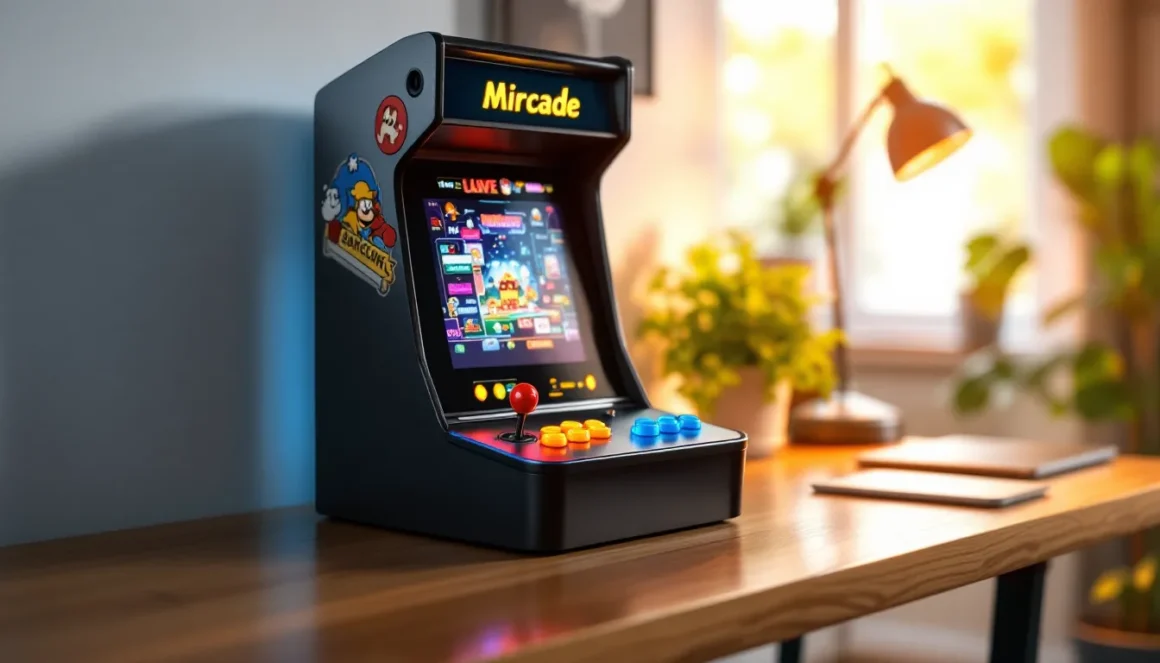
The quarter-eating cabinets of the ’80s and ’90s aren’t just memories anymore, they’re back, reimagined, and sitting on desks, kitchen counters, and game room shelves everywhere. Mini arcade machines with multiple games pack the soul of classic arcades into compact, affordable units that don’t require a second mortgage or a spare garage.
Whether you’re chasing nostalgia, hunting for a space-efficient entertainment setup, or just want authentic joystick action without the logistics of a full-size cabinet, mini arcade machines deliver. In 2026, the market is flooded with options: licensed replicas, DIY builds, countercades, and handhelds, each with dozens or even hundreds of games built in.
This guide breaks down everything you need to know before pulling the trigger on a mini arcade machine. From understanding the different types and what separates the good from the gimmicky, to specific recommendations and upgrade paths, you’ll walk away knowing exactly which unit fits your setup and budget.
Key Takeaways
- Mini arcade machines with multiple games pack 10–300+ preloaded titles into compact, affordable units that fit on desks and shelves, offering authentic arcade experiences without requiring expensive full-size cabinets.
- Licensed retro replicas from brands like Arcade1Up offer legal, high-quality emulation and genuine controls, while DIY Raspberry Pi builds provide maximum customization and game library flexibility for tech-savvy enthusiasts.
- Quality control components like Sanwa-style joysticks, microswitches, and IPS displays significantly outperform budget alternatives, making them worth the investment if you plan regular gameplay.
- Mini arcade machines start at $100–$150 for budget models and reach $300–$600 for premium countercades, delivering nostalgic arcade gameplay at a fraction of the cost and maintenance burden of restored full-size cabinets.
- Proper placement at elbow height, regular cleaning of controls and screens, and firmware updates ensure your mini arcade machine stays responsive and visually crisp for years of play sessions.
What Is a Mini Arcade Machine with Multiple Games?
A mini arcade machine is a scaled-down replica or inspired version of classic arcade cabinets, designed to fit on countertops, desks, or small entertainment stands. Unlike full-size arcade cabinets that stand 5-6 feet tall and weigh upwards of 200 pounds, mini versions typically measure between 12-24 inches in height and weigh under 20 pounds.
The “multiple games” part is the real selling point. Most modern mini arcade machines come preloaded with anywhere from a dozen to 300+ classic titles, eliminating the need to swap cartridges or hunt down individual ROMs. You’re getting instant access to games like Pac-Man, Galaga, Street Fighter II, Mortal Kombat, and depending on the unit, deep cuts from the golden age of arcade gaming.
Key Features That Define Mini Arcade Cabinets
What separates a mini arcade machine from a glorified toy or generic emulation box? A few critical features:
- Authentic controls: Real arcade-style joysticks and buttons (usually Sanwa or IL clones) that replicate the tactile feedback of original cabinets.
- Built-in screen: Typically LCD panels ranging from 7 to 17 inches, with some premium models offering IPS displays for better viewing angles.
- Preloaded game libraries: Licensed or open-source ROM collections, often organized by theme (fighting games, shoot ’em ups, beat ’em ups, etc.).
- Compact footprint: Designed to occupy minimal space while still providing a legitimate arcade experience.
- Plug-and-play simplicity: Most units require nothing more than a power connection and you’re gaming within seconds.
Some higher-end models include HDMI output, WiFi connectivity for leaderboards, and even multiplayer support via Bluetooth controllers.
How Mini Arcade Machines Differ from Full-Size Cabinets
Beyond the obvious size difference, mini arcade machines make specific trade-offs:
Size and ergonomics: Full-size cabinets are built for standing play with proper height and spacing. Mini units are designed for seated, tabletop use. The control deck is smaller, buttons are closer together, and joysticks may have shorter throws.
Display real estate: A full-size cabinet rocks a 19-25 inch CRT or modern equivalent. Mini machines cap out around 17 inches with LCD panels. You lose some of that immersive arcade feel, but gain sharpness and portability.
Weight and construction: Original cabinets used MDF, plywood, and heavy-duty components. Mini versions rely on lighter materials, sometimes plastic, sometimes pressed wood. Build quality varies wildly between budget and premium models.
Cost: A restored full-size Street Fighter II cabinet can run $1,500-$3,000+. A mini version with the same game? Typically $150-$400.
Game selection: Full-size cabinets were single-game or limited multi-game conversions. Modern mini machines routinely pack 50-300+ titles into one unit, thanks to emulation and licensed ROM collections.
Types of Multi-Game Mini Arcade Machines
Not all mini arcade machines are created equal. The market splits into several distinct categories, each with its own strengths, licensing situations, and target audience.
Licensed Retro Replicas
These are officially licensed units that replicate specific arcade classics with legal ROM collections. Arcade1Up pioneered this space, offering ¾-scale cabinets and countercades featuring games like Pac-Man, Galaga, Marvel vs. Capcom, and Teenage Mutant Ninja Turtles.
Pros:
- Legal, high-quality game emulation
- Authentic cabinet artwork and branding
- Proper button layouts matching original arcade configs
- Ongoing firmware support and sometimes downloadable content
Cons:
- Higher price point ($200-$600 depending on model)
- Limited to games the manufacturer has licensed
- Less flexibility for adding custom ROMs or modifications
As of early 2026, Arcade1Up, Numskull, and a handful of other manufacturers dominate this segment. Recent releases include upgraded models with lit marquees, improved speakers, and WiFi leaderboards.
Countercade and Bartop Models
Countercades sit on counters or desks, they’re essentially mini cabinets without the base stand. Bartop models are similar but often sold as bare kits or DIY-friendly units.
These units typically measure 18-24 inches tall and feature 10-17 inch screens. Controls are full-size or near-full-size, offering a more authentic feel than handheld devices. Many countercades include 10-50 games, though some custom builds pack hundreds.
Bartop models are popular in the DIY arcade community, allowing builders to choose their own artwork, button colors, and game libraries.
Handheld and Portable Arcade Devices
Handheld mini arcade machines are the most portable option, think Game Boy size but with arcade-style controls. Devices like the My Arcade Micro Player series and Neo Geo Mini pack 20-40 games into palm-sized units with 2-4 inch screens.
These are great for travel, but the tiny controls and screens sacrifice playability. They work best as collectibles or casual nostalgia pieces rather than primary gaming devices. Most include HDMI or AV output so you can connect to a TV for a better experience.
DIY and Raspberry Pi Custom Builds
For tinkerers and hobbyists, building a custom mini arcade machine using a Raspberry Pi offers maximum flexibility. Pre-cut bartop kits are available from vendors like DIY Retro Arcade and RecRoom Masters, and pair perfectly with RetroPie or Recalbox software.
DIY builds let you:
- Load thousands of ROMs from multiple platforms (MAME, NES, SNES, Genesis, etc.)
- Customize every aspect: artwork, button layout, screen size, audio
- Upgrade components over time (better joysticks, RGB lighting, marquee screens)
- Keep total cost under $200-$300 if you source smart
The trade-off? You’re responsible for assembly, configuration, and troubleshooting. If you’re comfortable with basic electronics and following tutorials, it’s the most rewarding route.
Top Benefits of Owning a Mini Arcade Machine
Mini arcade machines aren’t just novelties, they solve real problems for gamers who want arcade experiences without the baggage of full-size hardware.
Space-Saving Entertainment for Any Room
Full-size arcade cabinets demand serious floor space and planning. Mini arcade machines fit on a desk, bookshelf, or kitchen counter without dominating the room. For apartment dwellers or anyone without a dedicated game room, this is the difference between having an arcade setup or not having one at all.
A typical countercade occupies about 2 square feet of counter space. Handheld units need even less. You can tuck a mini machine into a home office, dorm room, or rec room corner without rearranging furniture.
Nostalgia Meets Modern Convenience
There’s something about the physical act of gripping a joystick and hammering buttons that touchscreens and controllers can’t replicate. Mini arcade machines deliver that tactile nostalgia while adding modern conveniences: instant game switching, save states, volume control, and HDMI output.
You’re not hunting for quarters or dealing with CRT maintenance. You flip a switch, pick a game from the menu, and you’re playing Galaga within seconds, just like you remember, but without the friction.
For older gamers, it’s a time machine. For younger players discovering these games for the first time, it’s an introduction to gaming history in its most authentic form.
Affordable Entry Point to Arcade Gaming
Restoring and maintaining a full-size arcade cabinet is expensive. Between acquisition costs, parts, repairs, and storage, you’re looking at thousands of dollars and ongoing maintenance. Collectors understand why arcade games have retained their appeal even as technology has evolved, but not everyone has the budget or space for the real thing.
Mini arcade machines start at $100-$150 for budget models and top out around $600 for premium licensed units. No ongoing maintenance, no quarter mechanisms to jam, no CRT tubes to replace. You get the arcade experience at a fraction of the cost and commitment.
What to Look for When Buying a Mini Arcade Machine
The mini arcade market is crowded with options that range from genuinely great to borderline scam-tier garbage. Here’s how to separate the winners from the wannabes.
Game Selection and Licensing
The number of games matters, but quality trumps quantity. A machine with 300 random, unlicensed games is often worse than one with 12 carefully selected classics.
Check for these red flags:
- Generic “classic game” listings with no specific titles mentioned
- Suspiciously large game counts (500+) usually mean shovelware or ROM hacks
- No mention of licensing or official partnerships
Look for units that list specific game titles upfront. Licensed machines from Arcade1Up, Numskull, or Neo Geo guarantee legitimate, well-emulated versions of the games you actually want to play.
If you’re going the DIY route, you control the library entirely, just stay aware of the legal gray areas around ROM distribution.
Build Quality and Materials
Budget mini arcade machines use thin plastic and flimsy joysticks. Premium models feature MDF or plywood construction, metal control panels, and genuine Sanwa or IL-style components.
What to examine:
- Cabinet material: MDF or wood beats plastic every time
- Joystick and button quality: Look for microswitches (clicky, responsive) over membrane buttons (mushy, unreliable)
- Artwork application: Screen-printed or vinyl graphics hold up better than cheap stickers
- Weight: Heavier units generally indicate better materials and stability during play
Read reviews that specifically mention build quality. According to recent assessments from PCMag, the best mini arcade machines balance cost with durable construction that survives thousands of play sessions.
Screen Size and Display Technology
Screen size on mini arcade machines ranges from 7 inches (handheld models) to 17 inches (premium countercades).
Ideal ranges by form factor:
- Handheld: 2.5-4 inches
- Desktop/bartop: 10-14 inches
- Countercade: 14-17 inches
Display tech matters too. Most budget models use basic TN LCD panels with narrow viewing angles and washed-out colors. Mid-range and premium units upgrade to IPS panels with better color accuracy and viewing angles, critical if multiple people are watching.
Some DIY builders even install small CRT monitors for that authentic scanline look, though this adds weight, cost, and complexity.
Controls and Button Layout
Button count and layout depend on the games you’re playing. Classic arcade games like Pac-Man and Galaga work fine with a single joystick and 1-2 buttons. Fighting games like Street Fighter II demand 6-8 buttons per player.
Standard configurations:
- 2-button setup: Ideal for shooters and platformers
- 4-button setup: Works for most beat ’em ups
- 6-button setup: Essential for fighting games (3 punch, 3 kick)
- 8-button layout: Adds extra flexibility for games with complex inputs
Joystick quality varies wildly. Entry-level units use cheap, short-throw sticks with sloppy microswitches. Higher-end models feature Sanwa JLF or IL Eurostick clones with proper throw distance and precise actuation.
If you’re serious about fighting games or precision gameplay, joystick quality is non-negotiable.
Connectivity and Expandability Options
Modern mini arcade machines increasingly offer connectivity features:
- HDMI output: Connect to a TV or monitor for big-screen play
- USB ports: Some units allow USB storage for adding more games or firmware updates
- WiFi: Cloud saves, leaderboards, and sometimes downloadable content
- Bluetooth: Pair external controllers for multiplayer without cable clutter
- Headphone jack: Essential if you’re playing in shared spaces
DIY builds offer the most expandability, you can swap components, upgrade screens, add RGB lighting, or integrate streaming hardware. Licensed units are more locked down but increasingly include firmware update paths for bug fixes and new features.
Best Mini Arcade Machines with Multiple Games in 2026
Here’s the breakdown of top picks across different categories, based on 2026 availability, build quality, game selection, and community feedback.
Best Overall: Premium Countercade Options
Arcade1Up Deluxe Countercades continue to dominate the premium space. Models like the Ms. Pac-Man/Galaga Class of ’81 Countercade and Marvel vs. Capcom 2 Countercade deliver licensed games, quality construction, and authentic control layouts.
Specs that matter:
- 14-17 inch IPS displays
- Genuine Sanwa-style joysticks and buttons
- 10-20 games per unit (all licensed classics)
- WiFi leaderboards and firmware updates
- Lit marquees and quality cabinet artwork
Price range: $300-$500
These units strike the sweet spot between authenticity, convenience, and cost. They’re plug-and-play, require zero technical knowledge, and look great on display.
Best Budget Pick: Affordable Multi-Game Units
For budget-conscious buyers, the My Arcade Data East Classics Mini Player and similar units offer solid value under $150. These typically include 10-15 games, basic LCD screens (8-10 inches), and acceptable joystick/button quality.
Trade-offs:
- Plastic construction instead of wood
- Smaller game libraries
- No connectivity features
- Lower build quality on controls
But if you’re testing the waters or gifting to a casual gamer, these deliver the core experience without the premium price tag. Reviewers at Digital Trends have noted that budget models have improved significantly in 2025-2026, with better emulation accuracy and sturdier construction than earlier generations.
Best for Authenticity: Licensed Classic Replicas
The Neo Geo MVS Mini stands out for authenticity. It replicates the Neo Geo arcade cabinet aesthetic and includes 40 officially licensed Neo Geo titles like Metal Slug, King of Fighters, and Samurai Shodown.
Another strong contender: Numskull Quarter Arcades, highly detailed ¼-scale replicas of original cabinets. They’re smaller (10-12 inches tall), but the attention to detail is exceptional, making them perfect display pieces that also function as playable games.
These are for collectors who value accuracy and presentation as much as gameplay.
Best for Customization: DIY and Modifiable Systems
If you want total control, build a Raspberry Pi 4-based bartop arcade using a kit from DIY Retro Arcade or RecRoom Masters.
Typical DIY build includes:
- Pre-cut MDF or plywood cabinet kit
- Raspberry Pi 4 (4GB or 8GB recommended)
- 13-15 inch LCD monitor
- Sanwa JLF joysticks and arcade buttons
- USB encoder board
- RetroPie or Recalbox software
- Custom artwork (print your own or order from vendors)
Total cost: $200-$350 depending on component quality
You’ll spend a weekend assembling and configuring, but you end up with a machine that plays thousands of games from multiple platforms, supports any button layout you want, and can be upgraded indefinitely. Enthusiasts discussing arcade hardware and builds often recommend this path for anyone comfortable with basic DIY projects.
How to Set Up and Maintain Your Mini Arcade Machine
Getting your mini arcade machine up and running is usually straightforward, but a few best practices ensure longevity and optimal performance.
Optimal Placement and Positioning
Mini arcade machines are designed for tabletop use, but placement affects comfort and playability.
Height considerations: Ideally, the control deck should sit at elbow height when you’re seated. Standard desk height (28-30 inches) works well for most countercades. If the unit sits too low, add a riser or place it on a sturdy shelf.
Lighting: Avoid placing the machine in direct sunlight or under harsh overhead lights that create glare on the screen. Side lighting or ambient room lighting works best.
Ventilation: Some units generate heat during extended play sessions. Leave a few inches of clearance on all sides for airflow, especially if the unit has ventilation slots or fans.
Surface stability: Use a sturdy, level surface. Arcade gameplay involves aggressive joystick movements and button mashing, you don’t want the unit sliding around or tipping.
Cleaning and Maintenance Tips
Keep your mini arcade machine in top shape with regular maintenance:
Exterior cleaning:
- Wipe down the cabinet with a microfiber cloth and mild cleaner
- Avoid harsh chemicals that can damage artwork or plastic
- Use compressed air to blow dust out of ventilation holes and around buttons
Control maintenance:
- Joysticks may need occasional cleaning: disassemble and wipe down the shaft and dust washer
- Buttons can be popped out and cleaned with isopropyl alcohol
- Check for loose screws on control panels, tighten as needed
Screen care:
- Clean LCD screens with a microfiber cloth slightly dampened with water or screen cleaner
- Never spray liquid directly on the screen
- Avoid pressing hard on the display
Component checks:
- Periodically inspect cables and connections inside the cabinet (if accessible)
- Listen for unusual sounds from speakers or internal components
- Check for firmware updates if your unit supports them
Troubleshooting Common Issues
Even well-built mini arcade machines encounter occasional problems. Here’s how to fix the most common ones:
Unresponsive buttons or joystick:
- Open the control panel and check wire connections to the encoder board
- Test individual microswitches, if one isn’t clicking, it may need replacement
- For licensed units, contact manufacturer support: for DIY, microswitches cost $1-2 each and are easy to swap
No display or flickering screen:
- Check power connections
- Inspect HDMI or LCD cable connections
- Try adjusting brightness settings (some units have hidden menus)
- If using external display, test with a different HDMI cable
Audio issues:
- Verify volume isn’t muted or turned all the way down
- Check speaker wire connections
- Some units have separate speaker and headphone volume controls
Game loading errors or crashes:
- Power cycle the unit completely (unplug for 30 seconds)
- Check for firmware updates
- For DIY builds, verify ROM file integrity and RetroPie/Recalbox configuration
Most issues are connection-related and can be solved by reseating cables or checking for loose components.
Customizing and Upgrading Your Mini Arcade
One of the best aspects of mini arcade machines, especially DIY builds, is the ability to customize and upgrade over time. Even some licensed units support limited modifications.
Adding Custom Artwork and Graphics
Custom artwork transforms a generic cabinet into something personal and unique.
For DIY builds:
- Design artwork in Photoshop or Illustrator (templates available from cabinet kit vendors)
- Print on vinyl at local print shops or online services like GameOnGrafix
- Apply carefully using the wet method (spray surface with soapy water, position vinyl, squeegee out bubbles)
- Seal edges with clear coat if desired
For licensed units:
- Options are more limited, but some owners apply custom vinyl overlays or side art
- Marquee replacements are possible on units with removable marquee panels
- Some manufacturers sell official alternate artwork kits
Popular themes: Classic arcade cabinet designs, custom mashups (mixing art from multiple games), pop culture references, retro gaming aesthetics.
Upgrading Controls and Components
Control upgrades deliver the biggest improvement in playability.
Joystick upgrades:
- Replace stock sticks with Sanwa JLF (smooth Japanese arcade feel) or IL Eurostick (heavier American arcade feel)
- Swap restrictor gates (square vs. octagonal) for different game types
- Add bat-top or ball-top handles based on preference
Button upgrades:
- Swap stock buttons for genuine Sanwa OBSF-30 or IL buttons
- Choose concave or convex button tops
- Add RGB LED buttons for visual flair (requires additional wiring)
Audio upgrades:
- Replace cheap built-in speakers with better quality ones
- Add a small amplifier for more volume and clarity
- Install a subwoofer for bass-heavy games
Display upgrades (DIY builds):
- Swap to larger or higher-resolution LCD panels
- Some builders install rotating monitors for vertical (TATE) mode games
- CRT enthusiasts occasionally retrofit small tube monitors
Most component upgrades cost $20-$100 and require basic tools and soldering skills (or crimping, for plug-and-play encoder boards).
Expanding Your Game Library
For licensed units, game libraries are typically fixed, you’re limited to what the manufacturer includes. Some newer models support downloadable content or expansion packs via WiFi, but this is still rare.
For DIY builds running RetroPie or Recalbox, expanding the library is trivial:
- Add ROM files to the appropriate folder via USB stick or network transfer
- Scrape metadata and box art using built-in scrapers
- Organize games into custom collections
- Add entire platforms (NES, SNES, Genesis, TurboGrafx-16, etc.)
The arcade archives scene remains active, with enthusiasts sharing configs, ROM lists, and optimization guides for various emulators and hardware setups.
Where to Buy Mini Arcade Machines in 2026
Mini arcade machines are widely available, but where you buy affects price, selection, and support.
Online retailers:
- Amazon: Largest selection, competitive pricing, easy returns. Watch for counterfeit or low-quality knockoffs, stick to known brands.
- Best Buy: Curated selection of licensed units (Arcade1Up, Neo Geo). In-store pickup and Geek Squad support available.
- Walmart: Budget-friendly options, frequent sales. Selection leans toward lower-priced models.
- GameStop: Carries gaming-focused mini arcades, often with exclusive bundles or limited editions.
Direct from manufacturers:
- Arcade1Up official site: First access to new releases, exclusive models, and occasional direct-sale discounts.
- Neo Geo Store: Official Neo Geo products, imports, and limited editions.
- DIY vendors (DIY Retro Arcade, RecRoom Masters, etc.): Best source for cabinet kits, components, and custom builds.
Specialty and retro gaming stores:
- Local retro gaming shops often carry mini arcade machines and can provide hands-on demos
- Some stores offer repair services and custom builds
Used market:
- eBay, Facebook Marketplace, Craigslist: Good for finding deals on used or discontinued models
- Check condition carefully, verify all controls work, screen has no dead pixels, and cabinet art is intact
- Used DIY builds can be hit or miss depending on builder quality
International options:
- AliExpress, Banggood: Cheaper imports, but expect longer shipping times, potential customs fees, and variable build quality
- Warranty and support are minimal to nonexistent
For licensed units, buying from authorized retailers ensures warranty coverage and access to firmware updates. For DIY projects, sourcing components from reputable vendors like Adafruit, Microcenter, or specialty arcade parts suppliers guarantees compatibility and quality.
Price tracking tip: Mini arcade machines frequently go on sale during Black Friday, Cyber Monday, Prime Day, and back-to-school seasons. Set price alerts on CamelCamelCamel or Honey to catch deals.
Conclusion
Mini arcade machines with multiple games deliver authentic arcade experiences without the space, cost, or maintenance headaches of full-size cabinets. Whether you’re dropping $150 on a budget countercade, investing $400 in a premium licensed unit, or building a custom Raspberry Pi bartop, you’re gaining instant access to gaming history in its most tactile, satisfying form.
The market in 2026 offers something for every budget and skill level. Licensed replicas provide plug-and-play convenience and legal peace of mind. DIY builds reward tinkerers with total customization and massive game libraries. Handheld and portable options bring arcade gaming anywhere.
Focus on the factors that matter: game selection (quality over quantity), build quality (MDF and real components beat plastic), control layout (match the games you’ll actually play), and connectivity (future-proof with HDMI and USB). Read reviews, check specs carefully, and don’t be swayed by inflated game counts or generic marketing.
Once you’ve got the right machine set up, it’s just you, the joystick, and the high score. No quarters required.