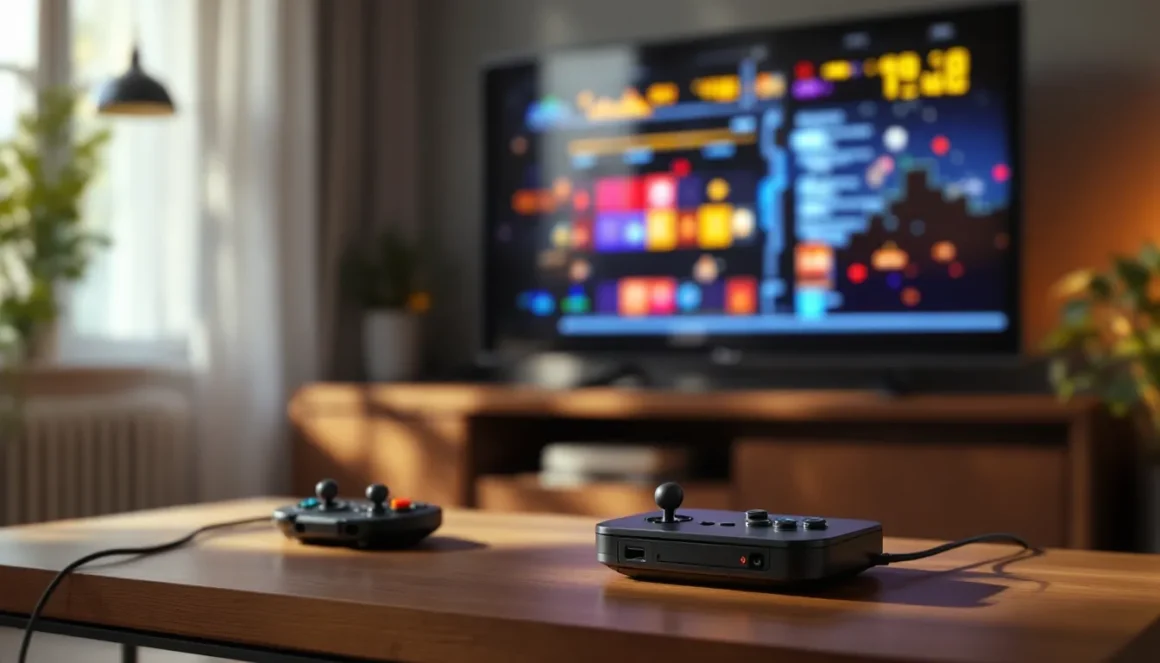
Retro gaming plug-and-play consoles have flooded the market over the past few years, but the Merkury Arcade Fun 200-in-1 system stands out for its sheer volume and accessibility. With 200 built-in games spanning multiple genres and eras, it’s marketed as the ultimate nostalgia trip for casual gamers and a curious oddity for collectors. But what exactly are those 200 games, and how many of them are actually worth your time?
If you’ve picked up a Merkury Arcade Fun or you’re considering adding one to your setup, you’re probably wondering what you’re actually getting. This guide breaks down the full game library by category, highlights the standout titles, walks you through navigation and controls, and offers practical tips to squeeze the most value out of this budget-friendly retro box. Whether you’re chasing high scores or just looking for a quick blast of arcade action, here’s everything you need to know about the Merkury Arcade Fun 200 games list.
Key Takeaways
- The Merkury Arcade Fun 200 offers an affordable entry point to retro gaming at under $30, though many of its 200 games are palette swaps and variations that reduce the truly distinct gameplay experiences to about 50-70 unique titles.
- Standout games like Tank Battle 1990, Sky Force, and Bomber King prove the system can deliver solid arcade experiences, but the library requires manual browsing without search or category filters.
- The Merkury Arcade Fun 200 excels as a casual, no-fuss device for quick multiplayer sessions and parties, but lacks modern conveniences like save states, HDMI output, and licensed games found on competing mini consoles.
- Budget retro systems like the Merkury succeed best for impulse purchases and gift-giving rather than dedicated collectors, who should invest $30-50 more in official mini consoles with better hardware and authentic titles.
- Common issues including fuzzy composite video output on HDTVs, occasional game freezes, and controller responsiveness problems highlight the system’s budget construction and inconsistent quality control.
What Is the Merkury Arcade Fun 200-in-1 Gaming System?
The Merkury Arcade Fun 200 is a plug-and-play retro gaming console that connects directly to your TV via composite AV cables. It’s designed to deliver instant access to 200 classic-style games without requiring cartridges, downloads, or subscriptions. The unit itself is compact and lightweight, featuring a handheld controller with a simple D-pad, action buttons, and start/select options.
Unlike premium retro systems like the Nintendo Switch Online library or dedicated emulation handhelds, the Merkury Arcade Fun targets the budget-conscious crowd. It’s typically found in discount retailers and online marketplaces for under $30, making it an impulse buy for parents, gift-givers, or anyone curious about old-school gaming without the commitment.
The game library consists primarily of unlicensed clones and original titles inspired by arcade and NES-era classics. You won’t find official Mario, Sonic, or Street Fighter games here, but you will encounter plenty of games that borrow heavily from those franchises. The system runs on basic 8-bit hardware, so expect simple graphics, chiptune audio, and straightforward mechanics.
It’s worth noting that the “200 games” count can be misleading. Many entries are palette swaps, difficulty variations, or slight tweaks of the same base game. In practice, you’re looking at closer to 50-70 truly distinct gameplay experiences, with the rest padded out to hit that magic 200 number. Still, for the price point, it offers a decent variety for casual play sessions.
Complete Merkury Arcade Fun 200 Games List by Category
Breaking down all 200 games by genre helps you navigate the system more efficiently and find the types of games you actually want to play. Here’s how the library shakes out across major categories.
Classic Arcade Games Included
The arcade section is where the Merkury system leans hardest into nostalgia. These games mimic the quarter-munching cabinets of the ’80s and early ’90s, offering quick, score-chasing gameplay loops.
Expect to find clones of Pac-Man (often labeled as Maze Chase or similar), Galaga-style fixed shooters, Breakout brick-breakers, and vertical space shooters reminiscent of Galaxian. There are also multiple variations of Frogger-inspired crossing games where you dodge traffic and hop across rivers. The system includes several Dig Dug and Bomberman knockoffs focused on digging tunnels and trapping enemies.
Most of these titles run smoothly and capture the arcade feel reasonably well. The challenge ramps up quickly, and the lack of continues on some games adds to the old-school difficulty. If you grew up feeding coins into cabinets, this section will feel immediately familiar, even if the names and sprites are slightly off-brand.
Puzzle and Strategy Games
Puzzle games make up a solid chunk of the library, though many are repetitive variations. Tetris clones dominate this category, with at least a dozen entries that shuffle block shapes under different names and color schemes.
You’ll also find match-three puzzlers, sliding tile games, and memory-based challenges. A few strategy-lite titles appear, including simplified versions of checkers, chess, and reversi (Othello). These aren’t deep tactical experiences, but they’re competent implementations for quick brain teasers.
The puzzle section is one of the stronger areas for actual variety, especially if you enjoy score-attack gameplay loops. The simplicity works in their favor, most games explain themselves within seconds, and sessions can last anywhere from two minutes to half an hour depending on your skill level. Many enthusiasts exploring different types of arcade games appreciate how puzzle titles complement action-heavy lineups.
Action and Adventure Games
Action and adventure titles on the Merkury Arcade Fun lean heavily toward side-scrolling platformers and top-down maze explorers. Think Adventure Island, Castlevania, and The Legend of Zelda clones with off-brand characters and simplified mechanics.
Many platformers follow the same formula: jump on enemies, collect power-ups, and reach the end of the level. Enemy sprites and level layouts vary, but the core gameplay remains consistent across most entries. Top-down adventure games typically involve navigating dungeons, finding keys, and defeating bosses with basic melee or projectile attacks.
Controls can feel stiff compared to modern platformers, and hitboxes are occasionally inconsistent. But, if you’re willing to adjust to the 8-bit era’s quirks, there’s fun to be had. A handful of these games offer surprising depth, with multi-stage boss fights and hidden secrets that reward exploration.
Sports and Racing Games
Sports and racing games are the weakest category on the system. Most entries are extremely basic interpretations of soccer, basketball, tennis, and bowling. Physics feel loose, AI opponents are either brain-dead or frustratingly cheap, and multiplayer options are hit-or-miss depending on controller support.
Racing games fare slightly better. Expect top-down arcade racers similar to Micro Machines or early R.C. Pro-Am titles. A few side-scrolling motorcycle and car games offer simple avoid-and-accelerate gameplay. None of these will satisfy serious racing fans, but they can provide quick bursts of competitive fun if you’re playing with friends.
This category feels like filler more than anything else. If you’re buying the Merkury Arcade Fun specifically for sports or racing, you’ll be disappointed. Stick to the arcade and action sections for better gameplay experiences.
Shooting and Combat Games
Shooting and combat games span both vertical/horizontal shoot-’em-ups (shmups) and run-and-gun action titles. Shmups are plentiful, with multiple entries inspired by 1942, Gradius, and R-Type. You’ll pilot ships or aircraft through enemy waves, dodging bullet patterns and collecting power-ups.
Run-and-gun games borrow from Contra and Metal Slug, featuring soldiers or commandos blasting through enemy bases. These tend to be more forgiving than the shmups, with generous hitboxes and frequent checkpoints. Several fighting game clones also appear, though they’re primitive compared to even early Street Fighter II standards.
The shooting category is surprisingly solid for a budget system. Shmups in particular benefit from responsive controls and clear visual feedback. If you enjoy high-intensity arcade action, this section delivers some of the system’s best content. Players interested in arcade game history will recognize the heavy influence of ’80s and ’90s shmup design philosophy here.
Top 10 Must-Play Games on the Merkury Arcade Fun 200
Wading through 200 games can be overwhelming, so here are the ten standout titles worth prioritizing. These games either offer the best gameplay, the most replayability, or the closest experience to their classic inspirations.
-
Tank Battle 1990 – A Battle City clone with tight controls and strategic depth. Defend your base, upgrade your tank, and clear enemy waves. One of the most polished games on the system.
-
Sky Force – A vertical shooter with smooth scrolling and satisfying power-ups. Great for score-chasers who enjoy gradual difficulty curves.
-
Adventure Island – Not the official Capcom title, but a solid platformer with decent level variety and challenging boss fights.
-
Brick Breaker Deluxe – The best Breakout variant on the system. Multiple power-ups, varied level layouts, and responsive paddle controls.
-
Jewel Master – A Columns-style match-three puzzler that’s both accessible and addictive. Perfect for short sessions.
-
Metal Fighter – A Contra-inspired run-and-gun with surprisingly good hit detection and weapon variety.
-
Road Fighter – Top-down racing that captures the arcade feel. Simple but competitive, especially in two-player mode.
-
Penguin Adventure – A charming platformer with slide mechanics and ice-themed levels. Tight controls make it stand out from similar entries.
-
Space Invaders Extreme – The most refined fixed shooter on the system. Classic enemy patterns with modern visual flair (by 8-bit standards).
-
Bomber King – A Bomberman clone that nails the core formula. Multiplayer support makes it a highlight for local co-op sessions.
These games represent the best of what the Merkury Arcade Fun offers. If you only play ten titles, make it these. According to coverage from IGN, budget retro systems succeed when they deliver a handful of genuinely fun experiences rather than focusing solely on quantity.
How to Navigate and Access All 200 Games
The Merkury Arcade Fun uses a straightforward menu system, but first-time users might find it less intuitive than modern interfaces. Here’s how to get around efficiently.
When you power on the system, you’re greeted with a numbered game list displayed in a grid format. Games are organized sequentially from 001 to 200, not by genre or quality. Use the D-pad to scroll up and down through the list, there’s no search function or category filter, so you’ll be doing a lot of manual browsing initially.
Press the A button (or equivalent action button) to select and launch a game. Loading times are nearly instant since everything runs off built-in ROM chips. To exit a game and return to the main menu, press the Start and Select buttons simultaneously for about two seconds. This combo works universally across all titles, though it’s not explained anywhere in the (minimal) documentation.
Some games support two-player modes if you have a second controller. The system typically includes one controller, but additional compatible gamepads can be purchased separately. Multiplayer games are marked with a small icon, though not all entries accurately indicate this feature.
The lack of organization is the biggest navigation flaw. You can’t favorite games, create custom lists, or jump to specific numbers directly. After a few sessions, you’ll memorize the positions of your favorite titles, but initially, expect to scroll past dozens of filler entries to find what you want. Writing down game numbers for quick reference isn’t a bad idea if you plan to use the system regularly.
For players interested in broader retro gaming options, unblocked arcade games offer similar nostalgic experiences through browser-based platforms with better search and filtering tools.
Tips for Getting the Most Out of Your Merkury Arcade Experience
The Merkury Arcade Fun is a bare-bones system, but a few tweaks and strategies can significantly improve your experience.
Master the Controls and Button Layout
The included controller is basic but functional. Spend time in the menu familiarizing yourself with button assignments before diving into games. The D-pad handles movement, A and B buttons manage jump/attack/confirm actions, and Start/Select typically pause or access menus.
Button mapping isn’t customizable, so you’ll need to adapt to each game’s default layout. Some titles use both action buttons, while others only require one. Certain games also repurpose the Select button for special moves or weapon swaps, which can catch you off guard mid-session.
If the stock controller feels uncomfortable, third-party USB controllers may work if the system supports external input. Test compatibility before committing to a purchase, as results vary by model.
Adjust Difficulty Settings for Better Gameplay
Many games on the Merkury Arcade Fun include difficulty options accessible through in-game menus. These settings aren’t always obvious, look for options labeled Easy, Normal, or Hard, or numerical difficulty levels (1-3, for example).
Starting on Easy mode helps you learn enemy patterns and level layouts without constant game-overs. Once you’re comfortable, bump up the difficulty for more aggressive AI and tighter timing windows. A few games also let you adjust lives, continues, or time limits, which can make brutally hard titles more approachable.
Don’t be afraid to experiment with settings. Some games are more fun at higher difficulties once you’ve mastered the mechanics, while others remain frustrating regardless of tweaks. Resources like Game Rant often highlight how difficulty balancing affects retro game enjoyment, especially in arcade-style titles designed to eat quarters.
Use Save States to Your Advantage
Unfortunately, the Merkury Arcade Fun does not include save state functionality. Unlike emulators or modern retro systems like the Nintendo Switch Online service, you can’t pause mid-game and resume later. Every session starts from scratch unless the individual game includes password or checkpoint systems.
This limitation makes longer adventure and platformer games more tedious. You’ll need to dedicate uninterrupted time to make meaningful progress, especially on titles with limited continues. For puzzle and arcade games, the lack of saves is less impactful since sessions are naturally shorter.
If save states are essential for your retro gaming, consider supplementing the Merkury system with emulation options or dedicated handhelds that support that feature. The Merkury shines for quick pick-up-and-play sessions rather than extended campaigns.
How the Merkury Arcade Fun Compares to Other Retro Gaming Consoles
The retro gaming market is crowded with plug-and-play systems, mini consoles, and emulation devices. Here’s how the Merkury Arcade Fun stacks up against the competition.
Price: The Merkury wins on affordability. At under $30, it’s significantly cheaper than official mini consoles like the NES Classic ($60-80) or Sega Genesis Mini ($80-100). It’s also less expensive than most emulation handhelds, which typically start around $50 for entry-level models.
Game Quality: This is where the Merkury falls behind. Official mini consoles feature licensed games with accurate emulation. The NES Classic includes Super Mario Bros., The Legend of Zelda, and Mega Man 2, all genuine classics. The Merkury offers clones and knockoffs that approximate the feel but lack the polish and nostalgia factor of the real thing.
Hardware: The Merkury uses basic 8-bit architecture with composite video output. Picture quality is acceptable on older CRT TVs but looks fuzzy and washed-out on modern HDTVs. Mini consoles typically include HDMI output for crisp visuals, and many support save states, rewind functions, and customizable display filters.
Portability: The Merkury isn’t portable, it requires a TV and power outlet. Handheld emulation devices like the Anbernic RG35XX or Miyoo Mini offer thousands of games with save states, rechargeable batteries, and pocket-friendly form factors. For on-the-go retro gaming, those options are superior.
Variety: The Merkury’s 200-game library (even with padding) offers more titles than most official mini consoles, which typically cap around 20-40 games. But, quality beats quantity for most players. Five great games trump 50 mediocre ones.
Verdict: The Merkury Arcade Fun is best for casual users who want a cheap, simple retro gaming fix without research or setup. Serious collectors and retro enthusiasts should invest in higher-quality alternatives. For those considering more substantial retro setups, guides on buying full-size arcade games offer another angle on preserving gaming history.
According to Twinfinite, budget retro consoles serve a niche market of gift-givers and impulse buyers rather than dedicated hobbyists. The Merkury fits that profile perfectly.
Common Issues and Troubleshooting for the Merkury Arcade Fun 200
Like most budget electronics, the Merkury Arcade Fun has quirks and technical issues. Here’s how to troubleshoot the most common problems.
No Video or Audio Output: Double-check that the composite AV cables are fully inserted into both the console and TV. Ensure your TV is set to the correct AV input channel (usually labeled AV, Video, or Composite). If you’re using a modern HDTV without composite inputs, you’ll need an AV-to-HDMI adapter.
Controller Not Responding: Verify that the controller cable is securely connected to the console. If buttons feel unresponsive, the controller may be defective, budget systems sometimes ship with faulty hardware. Contact the retailer for a replacement if the unit is still under warranty.
Games Freezing or Glitching: Occasional freezes happen due to the low-quality ROM chips used in budget systems. Power cycle the console (unplug, wait 10 seconds, plug back in) to reset. If a specific game consistently crashes, it may be corrupted, avoid that title and try others.
Poor Picture Quality: Composite video inherently looks soft on HDTVs. Adjust your TV’s sharpness and contrast settings to minimize blur. Some TVs have a “Game Mode” that reduces input lag and improves clarity for older video signals. If picture quality is a dealbreaker, consider upgrading to a system with HDMI output.
No Multiplayer Option: Not all games support two-player modes, even if they seem like they should. Check the in-game menu for multiplayer settings. If the system only came with one controller, you’ll need to purchase a compatible second controller separately.
Audio Distortion or Crackling: This usually indicates a loose AV cable connection or interference. Re-seat the cables and ensure they’re not tangled with power cords. If the issue persists, the console’s audio output may be faulty.
Most issues stem from the system’s budget construction and dated technology. If multiple problems occur out of the box, return or exchange the unit rather than spending time troubleshooting. Quality control on ultra-cheap electronics is inconsistent, and you might simply have a lemon.
Is the Merkury Arcade Fun 200 Worth It for Retro Gaming Fans?
The value proposition of the Merkury Arcade Fun 200 depends entirely on your expectations and budget.
Who Should Buy It: Casual players looking for a cheap, no-fuss retro gaming device will find decent value here. It’s also a reasonable gift for kids, non-gamers, or anyone curious about classic arcade gameplay without the commitment of more expensive systems. If you’re shopping on a tight budget and want instant access to a variety of simple games, the Merkury delivers.
The system excels as a party novelty or nostalgia conversation piece. Bust it out at gatherings for quick multiplayer sessions, and the simplicity becomes a feature rather than a drawback. Games load instantly, controls are intuitive, and the low stakes make it easy to pass controllers around.
Who Should Skip It: Dedicated retro gaming enthusiasts, collectors, and anyone seeking authentic classic experiences should look elsewhere. The lack of licensed games, poor video output on modern displays, and absence of modern conveniences (save states, rewind, HDMI) make it a hard sell for serious players.
If you already own a mini console, emulation device, or have access to official retro game libraries (like Nintendo Switch Online), the Merkury offers little beyond sheer quantity. Most of its 200 games feel redundant once you’ve played a few from each category.
The Bottom Line: At under $30, the Merkury Arcade Fun 200 is an acceptable impulse purchase for what it is, a cheap throwback device with a bloated but occasionally fun game library. It won’t replace your primary gaming setup, but it might provide a few hours of entertainment. Think of it as a gaming equivalent of a dollar-store toy: low expectations yield low disappointment.
For those who prioritize quality over quantity, investing an extra $30-50 in an official mini console or entry-level emulation handheld pays off with better games, superior hardware, and more features. The Merkury is a curiosity, not a cornerstone of a retro gaming collection. Gamers exploring why arcade games remain appealing will find that authentic experiences, whether through original cabinets, quality emulation, or official re-releases, preserve the magic better than budget knockoffs.
Conclusion
The Merkury Arcade Fun 200-in-1 system occupies a unique space in the retro gaming landscape, ultra-affordable, immediately accessible, but undeniably limited by its budget origins and reliance on unlicensed clones. For the right buyer, it’s a harmless piece of nostalgia that delivers exactly what it promises: 200 games (or at least 200 entries) playable right out of the box.
If you approach it with realistic expectations, you’ll find a handful of genuinely enjoyable titles buried among the filler. Tank Battle 1990, Sky Force, and Bomber King prove that even budget systems can host solid arcade experiences when the core gameplay loop is tight. Just don’t expect the polish, authenticity, or longevity of higher-tier retro options.
Eventually, the Merkury Arcade Fun succeeds as an impulse buy and fails as a serious gaming investment. It’s perfect for killing time, introducing kids to retro-style gameplay, or scratching a nostalgic itch on the cheap. But if you’re building a retro gaming setup you’ll return to regularly, save your money for something with more staying power. The best games deserve better hardware, and the Merkury’s library, while extensive on paper, can’t quite deliver the magic of the arcade golden age it’s trying to emulate.